


OnePlus Pad 3 long-term review with Android 16: A monster in almost every sense
Launched in September 2025, the OnePlus Pad 3 has spent a few months in our hands, and it’s proven to be a powerful Android tablet that balances work and entertainment with ease. Here’s our long-term review.

Pros:
- Excellent build quality, slim and stylish design
- Powerful processing hardware with Snapdragon 8 Elite SoC
- Large and vibrant display with 144 Hz refresh rate
- Immersive sound output courtesy of its 8-speaker system
- Very good battery backup with fast charging
- Clean user interface with decent multitasking capabilities
- At least 3 major Android updates and 6 years of security updates promised
- Smart keyboard and Stylo 2 pen are more than handy add-ons
Cons:
- No 5G or LTE variant
- No fingerprint scanner
- Can feel a bit too large at times for a tablet
Rating: 4.2/5
Price: Rs 47,999 to Rs 52,999
In 2023, OnePlus launched their first tablet, the OnePlus Pad with commendable processing power and battery backup that invigorated the segment. Two years later, we have the third of its kind (in the flagship lineup) that promises to blur the lines between laptops and tablets.
The OnePlus Pad 3 has the display, processing muscle and accessories to do that, but has the software caught up enough? We have been using this tablet for a few months after the Android 16 update officially rolled out and here’s everything you need to know about it.
OnePlus Pad 3: Design and accessories
Each of the OnePlus tablets have been elegantly designed and the Pad 3 is no different. While it continues the tradition of getting larger with every generation, this one is also the slimmest of the three, measuring less than 6 mm in thickness.
 More from Reviews
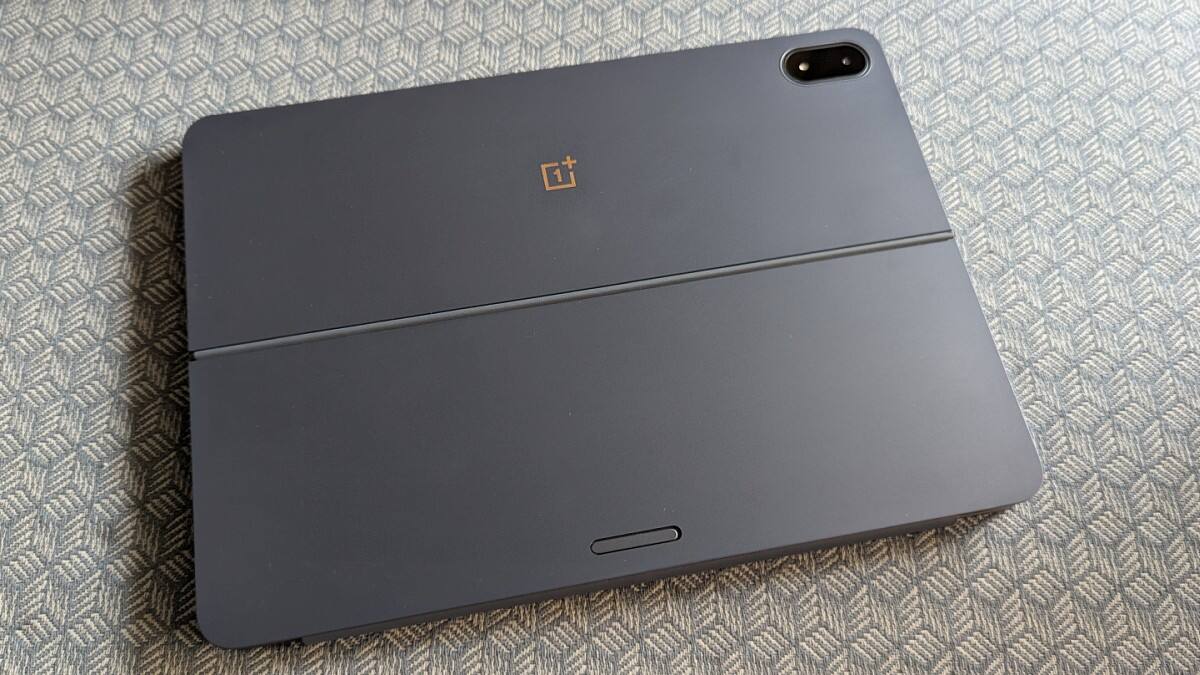
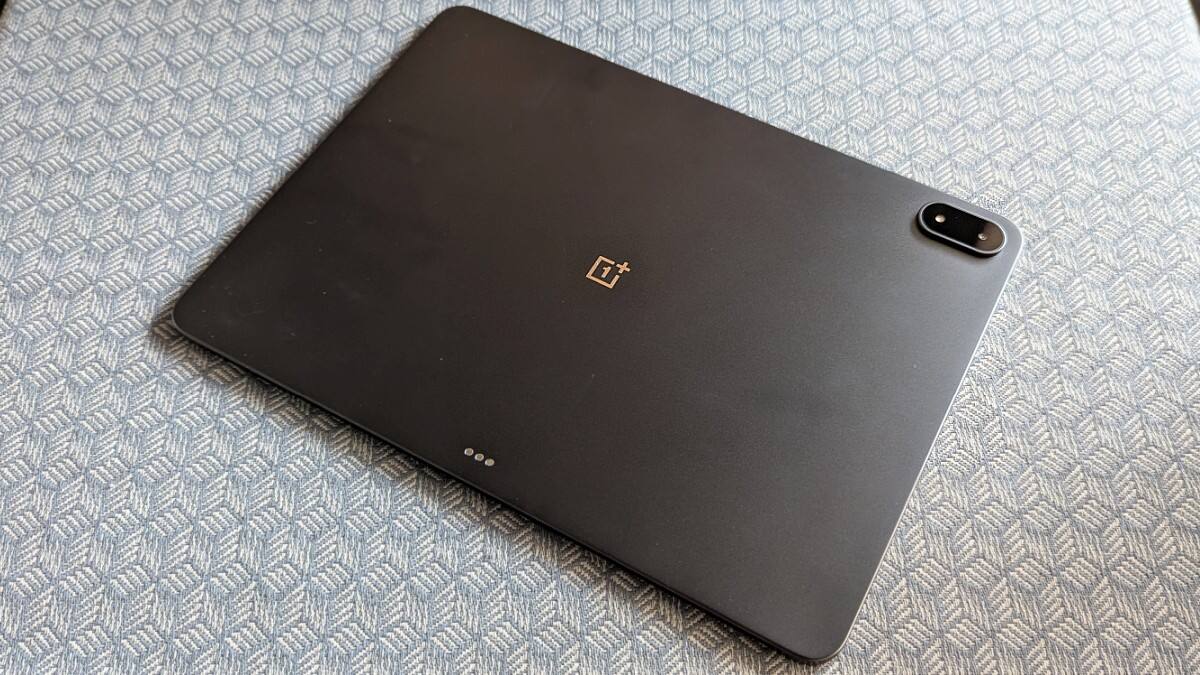
The Storm Blue (metallic blue) colour scheme that it comes in with an aluminium unibody and back looks extremely classy. It weighs 675 grams, which is over a 100 grams jump from the first Pad, but it doesn’t feel as heavy. The weight distribution is fairly even and the tablet feels good to hold.
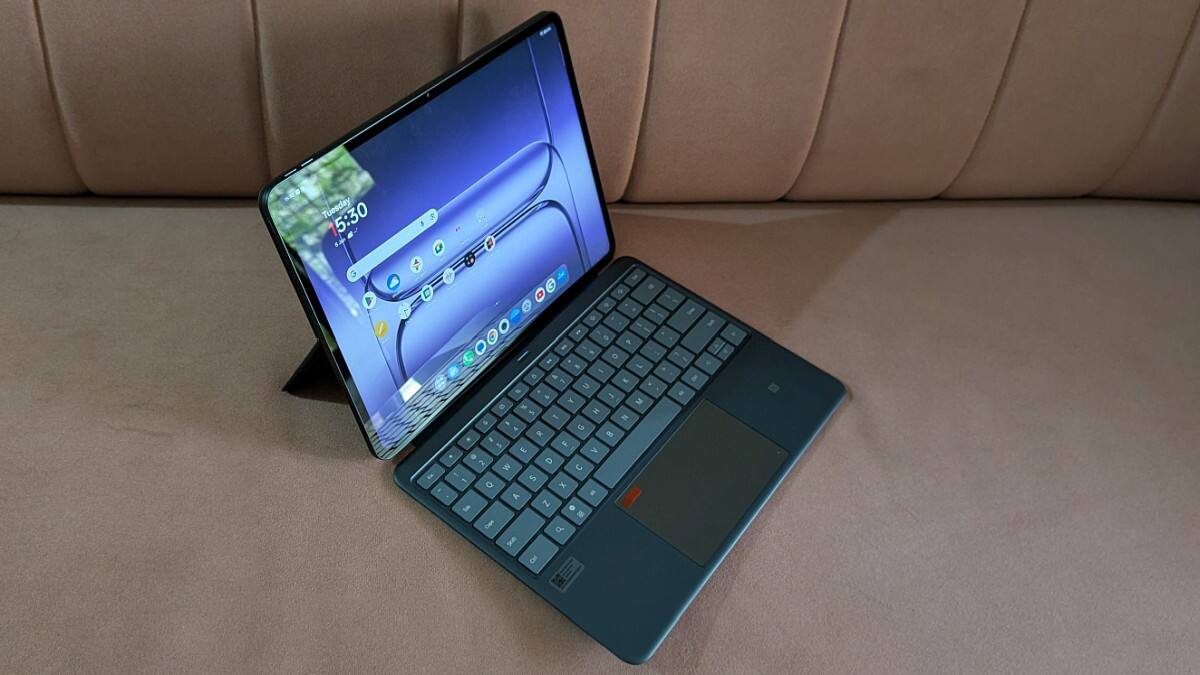
OnePlus has done away with the sizable and centrally located circular camera island present on the first two Pads and opted for a more compact and pill-shapped camera module at the top left corner, which is good.
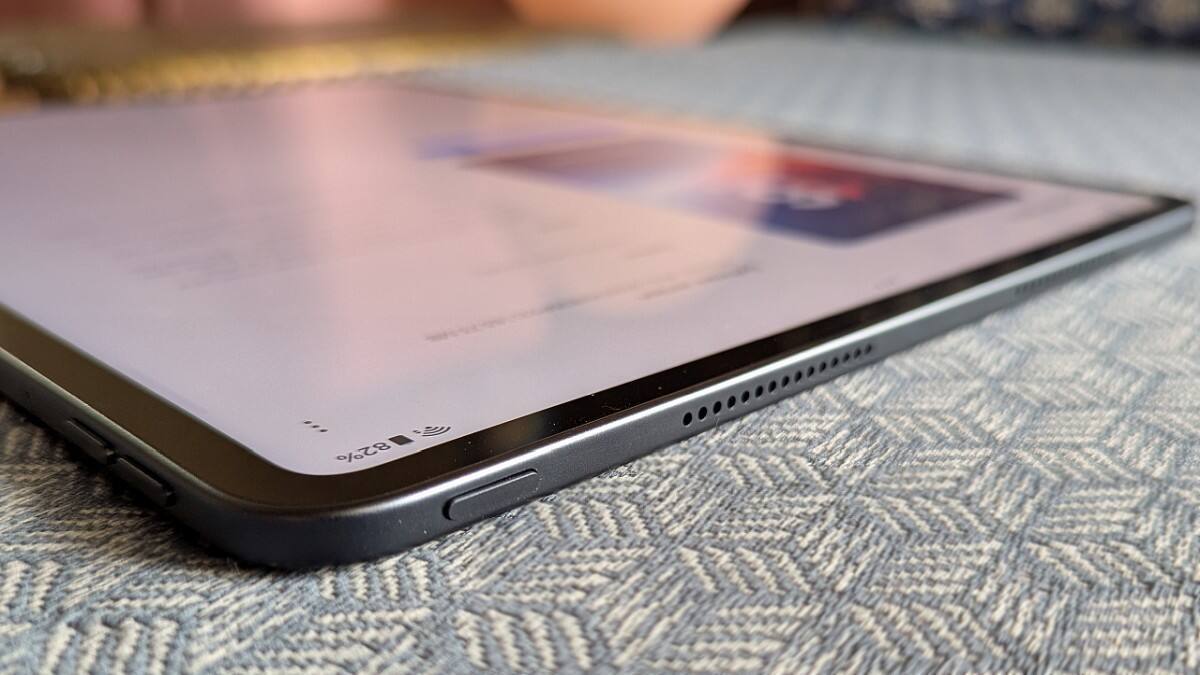
The bezels have generally been narrow on OnePlus tablets and that’s the case here too. And given the larger screen, they appear narrower. The number of speakers has been going up in every iteration of the OnePlus Pad and they have gone from four in the first one to eight in the Pad 3, shared equally along its two shorter edges.
You get a power button, volume rocker and a USB-C port on different edges of the tablet. You also have three pins at the back to connect the Smart Keyboard.
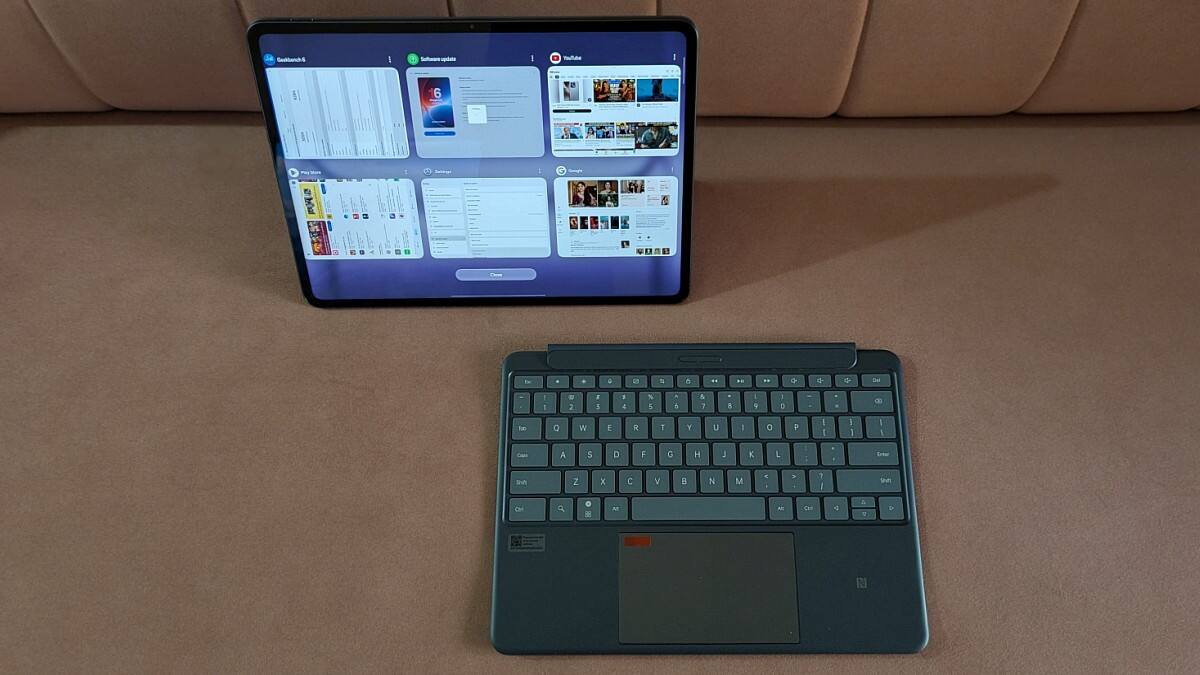
It is a great accessory to own (sold separately) if you intend to do a lot of typing on this tablet like yours truly. Mind you, even if you have a Smart Keyboard meant for the earlier OnePlus Pads, it won’t work here as the dimensions are different.
However, the older Stylo 2 pen works perfectly fine with the Pad 3. You also get a Folio Case for it in case you don’t wish to buy the keyboard.
OnePlus Pad 3: Display
The OnePlus Pad 3 has the largest display among all the company’s tablets till date. At 13.2 inches it is almost as large as a laptop’s screen and with a significantly higher resolution of 3392 x 2400 pixels, 144 Hz refresh rate and 12-bit colour depth. The peak brightness of this IPS LCD display is pegged at 900 nits (HBM).
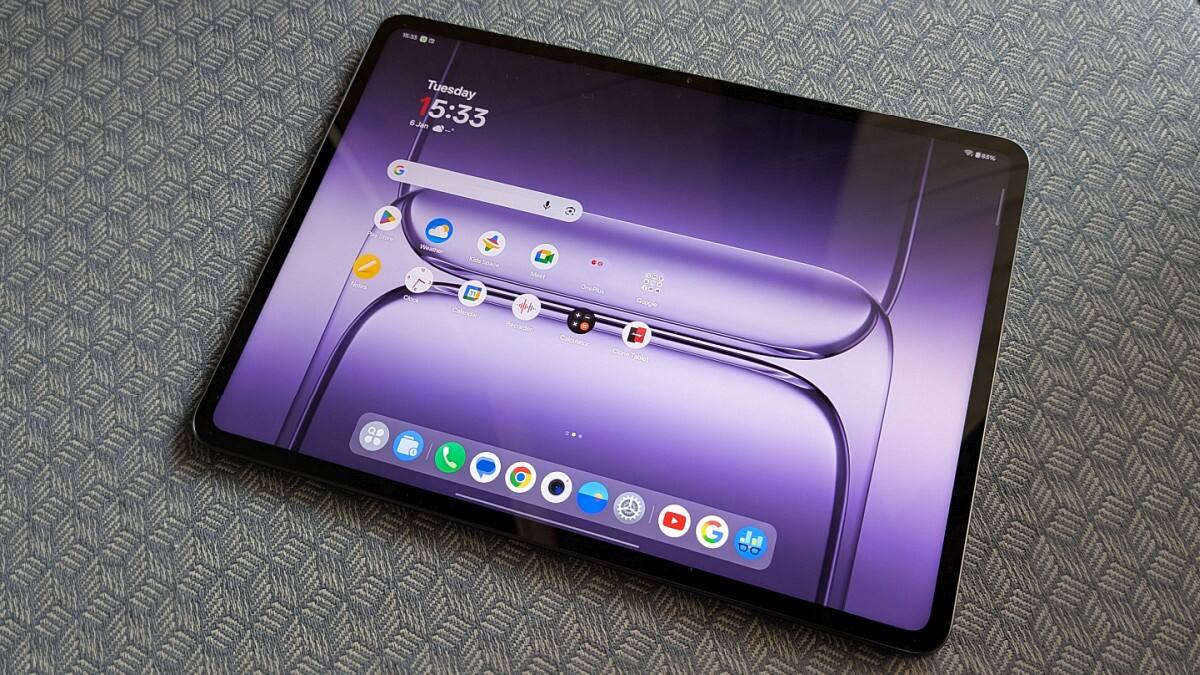
There is no mention of any scratch resistant glass or oleophobic coating to protect the display from scratches and smudges. While it remained scratch-free during the course of our testing, I had to wipe the screen periodically to get rid of smudge marks.
The screen is extremely reflective and you may have a tough time keeping the glare at bay when using it in commute. That’s the case with most tablets though. However, the screen is sufficiently bright even when outdoors.
The display is sharp courtesy of the high resolution and the colour reproduction is excellent. Given that it’s an IPS panel, viewing angles are not an issue at all. The display size can be a reason for both joy and discomfort; let me explain.
If you use a stand or the smart keyboard, the extra screen real estate is a boon and helps in multitasking too. However, if you choose to hold the tablet in your hands, you will need to hold it at a fair distance from your eyes to feel comfortable. After a few minutes your arms may not enjoy it.
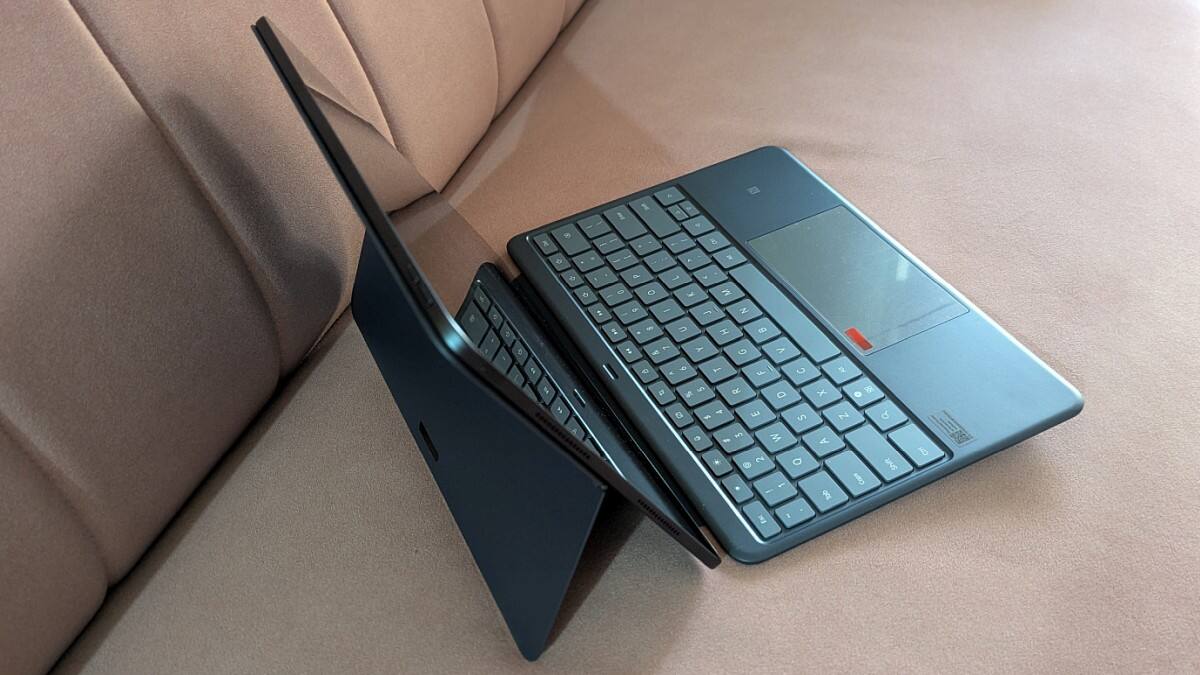
So it’s best to use some kind of a stand to place this tablet on. Also, unlike the smart keyboard available for the first OnePlus Pad, the one here cannot be used on a lap. It needs a flat surface to be placed safely without toppling. On the positive side, this one lets you adjust the tilt which was missing in its predecessor.
OnePlus Pad 3: Specifications and key features
The OnePlus Pad 3 still remains one of the most powerful Android tablets around, and probably the most affordable device with a Qualcomm Snapdragon 8 Elite SoC.
You get two RAM and storage variants of this tablet with either 12 GB LPDDR5X RAM and 256 GB UFS 4.0 storage or 16 GB RAM with double the storage. Both variants are WiFi-only with no cellular/LTE/5G option available. Strangely, the cellular option is available only on the company’s more affordable Pad Go series of tablets.
That rules out a SIM slot and there’s no memory card slot to expand the storage further. There is no fingerprint scanner either. The OnePlus Pad 3 is compliant with Bluetooth 5.4 and offers dual-band WiFi with support for a/b/g/n/ac/6/7 wireless standards.
It has two cameras, one each at the front and back. There’s a 13MP camera at the back of the tablet and an 8MP module up front at the centre of the longer edge. The rear camera can record videos in up to 4K resolution at 30 fps, while the front camera is limited to 1080p at 30 fps.
OnePlus Pad 3: Software and UI
The OnePlus Pad 3 launched with Android 15 but now runs the latest OxygenOS 16 based on Android 16. The company has promised at least a couple more major OS updates and six years of security updates for this device, which is good. The UI is fluid, lag-free and well-adapted for a tablet as we have seen in the past from the company.
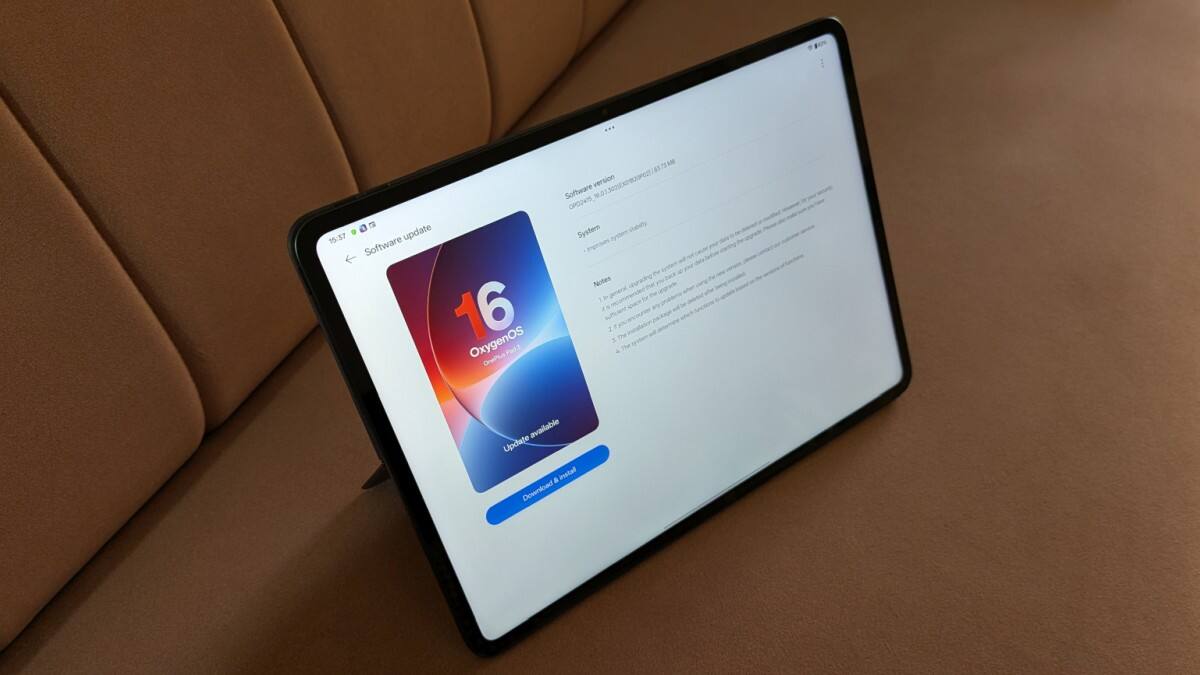
Even if you haven’t used a OnePlus tablet before, it is fairly easy to grasp and get comfortable with. It is pretty much free of bloatware and void of any ads, which is great.
The taskbar at the bottom displays shortcuts for recently opened apps and also has a dedicated shortcut for a compact apps drawer.
OxygenOS 16 adjusts well to the large display with a 7:5 aspect ratio and makes good use of the extra screen real estate. It facilitates multitasking with split-screen, floating apps and drag and drop options to share files. You can work with three apps simultaneously - two in split screen and one floating.
The tablet can be easily synced with other OnePlus phones for file sharing or to undertake certain tasks like image editing on a larger screen.
Similarly, one can now remotely connect it with a Mac or a PC using the O+ Connect app. That comes in handy if you wish to remotely access stuff on your computer. While useful, using it with the PC is still a little rough around the edges and can use a bit of polish. We didn’t have a Mac at hand to try this feature on it.
Lastly, the Pad 3 has more than a handful of AI tricks up its sleeve. In addition to Google Gemini integration, you get a bunch of AI tools built-in like AI Translation to translate text from documents and images or even an entire webpage.
Then you have AI Summary to summarise articles and mails, AI Writer to assist in creative writing or polishing your copy, AI Speak for text to speech conversion and more. You also get a few image editing tools and one can expect further additions and enhancements like we witnessed after the Android 16 update.
OnePlus Pad 3: Performance
Given the presence of the Snapdragon 8 Elite, there is no shortage of muscle power here, and it is no surprise that this tablet can handle any task you throw at it with ease. Be it browsing with a dozen tabs open, reading ebooks, streaming videos, engaging in video calls or doing it all at once, the Pad 3 does it without a stutter.
Just to touch upon benchmark scores without going full nerdy, this tablet scores a tad better than the OnePlus 13 with the same SoC. A single-core and multi-core score of 3059 and 9532 respectively in Geekbench 6 is quite impressive, and so are its 3DMark scores with minimal throttling in stress tests with the performance staying above 75 per cent.
You can engage in full blown gaming at the highest settings in most cases without a worry. The larger screen real estate, a sizable vapour chamber for better heat dissipation, big battery and high 144 Hz refresh rate (in supported games) adds to the experience.
You can even use several wireless gamepads over Bluetooth and turn this into a portable gaming console. I would go to the extent of saying that the OnePlus Pad 3 is a far better option for gaming than buying a smartphone with a similar SoC for the same purpose.
Thanks to the available accessories and its multi-tasking capabilities, this tablet can also be used for a bit of content creation.
Though it is still not a laptop replacement, I did manage to write a few articles on it using the Smart Keyboard without any discomfort. Similarly, it can be used to edit photos and videos and create reels. And as I mentioned earlier, you have a handful of AI tools and the power to handle them to assist you in a variety of tasks.
Watching content on OTT services is highly enjoyable on the Pad 3. The high resolution screen keeps things sharp and lively. The 8-speaker system delivers a loud and immersive audio experience.
The sound output is so enjoyable that often at home, I did not bother switching to wireless earphones/headphones when there was nobody around to disturb. However, you may use one whenever you wish to as this OnePlus tablet supports most of the popular audio codecs over Bluetooth. The cameras on this tablet are functional at best.
OnePlus Pad 3: Battery backup
As opposed to its predecessors with respectable 9510mAh batteries, the OnePlus Pad 3 goes a step further with a massive 12140mAh unit which delivers excellent battery backup.
It keeps it running for close to three days of moderate use with a mixture of streaming content on OTT platforms, a few hours of reading and browsing the internet and a couple of short video calls. All this without any gaming, and yet the numbers are quite impressive.
One can easily get over six hours of graphics intensive gaming on a full charge and even higher for lighter titles; again, not bad at all.
The standby time is also quite robust with minimal battery drain after not using the tablet for a couple of days. The company bundles an 80W SuperVOOC charger that takes this large battery from empty to full in just under 100 minutes. The figure may seem higher compared to OnePlus phones but let me remind you that we are talking about almost double the battery capacity. And hence, we are quite pleased with the charging speed with nothing to complain about.
OnePlus Pad 3: Price and verdict
The OnePlus Pad 3 is priced at Rs 47,999 for the 12 GB + 256 GB variant and Rs 52,999 for the 16 GB + 512 GB option, and is covered by a one year warranty. You have offers on certain credit cards and payment methods to score it for a few thousands less. Yes, the pricing is on the premium side but so is the product. It still remains arguably the most powerful Android tablet around and also the most capable. Though not exactly a full-fledged laptop replacement yet, it is one that comes closest via accessories and software support.
While it is useful for content creation and great for consumption, it is an excellent gaming device too, something serious mobile games should strongly consider. OnePlus still hasn’t bothered gracing its flagship lineup with cellular connectivity but it isn’t a deal breaker. All things considered, the OnePlus Pad 3 is a capable and elegant all-rounder that’s worth investing in if you have the need and are fine with its large size.
Tags

Samsung Galaxy Fold 8 quick review: The new entry
Pova 8 review: Big battery, bold design—but is it worth the price?
Nothing Phone (4b) first impression: A unique design, bold specs and a question to ponder
Oppo Find X9s Review: A little less powerful but equally capable alternative to the Find X9
Samsung Galaxy A27 5G First Impressions: A budget phone with high-end potential