


WhatsApp’s new poll feature: How to create polls on WhatsApp groups chats
The polling feature on WhatsApp is currently available only on the mobile version, in both, iOS as well as Android. However, it is expected that Meta will soon allow it on WhatsApp for Web very soon.

WhatsApp recently launched a new feature on both, Android and iOS that allows users to take a poll in a chat. The instant-messaging platform now allows users to measure consensus by using polls in both groups, as well as in individual or personal chats. 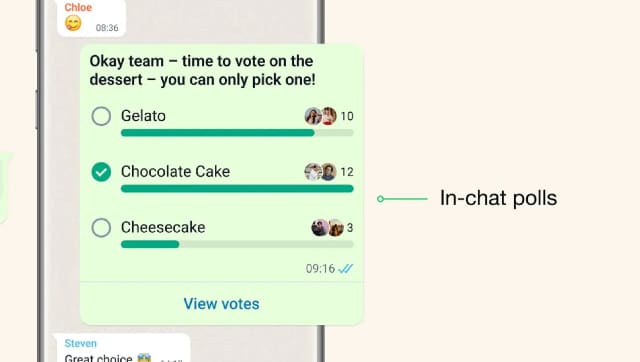 The polling feature on WhatsApp is currently available only on the mobile version, in both, iOS as well as Android. However, it is expected that Meta will soon allow it on WhatsApp for Web very soon.WhatsApp allows users to add up to 12 options in the poll. The feature allows users to cast their votes by simply tapping the available option. Users also have the option to select multiple options available under the poll, if the original poll setter allows them that choice.The poll is automatically updated each time a new vote is cast. Regular users or people who have not set up the poll but merely cast their vote can view the data related to the poll. Users just need to go to the poll and tap on "View Votes". They will then see poll details including who has given the vote and what option has been selected by the others.We take a quick look at how to use the new Poll feature on WhatsApp for Android and iOS devices.Step 1: Open WhatsApp on your smartphone Step 2: Now open the individual chat or group in which you want to create the poll. Step 3: Next, tap on the attach button present at the side of the message box and tap on the Poll icon. Step 4: In the Create Poll window add your question and then options to select from. You can add up to 12 options.Step 5: You can also tap and drag the 'Hamburger ' icon available on the right side of the poll options to change the order. Step 6: Once you add questions and options, tap on the green send option. You have just created your first poll.

China’s gaming crackdown causes top 3 companies $80 bn market value loss, Tencent alone sheds $50 bn
What is Lensa AI and how to use the app to generate AI avatars?
What is Bluebugging and how do hackers use it? Learn how to secure your devices
WhatsApp to roll out ‘Message Yourself’ feature for Android and iOS users; check how you can access it
Astronomy watch face on Apple Watch enables exciting view of Solar System; check features here