


Astronomy watch face on Apple Watch enables exciting view of Solar System; check features here
The Astronomy watch face's default image of Earth includes a live cloud map that shows where you are right now.

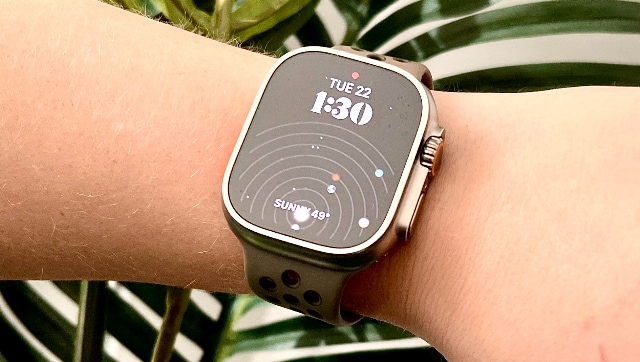
Though the Astronomy watch face was first launched with the first-generation Apple Watch, it has seen some major updates with the release of watchOS 9 and the Apple Watch Series 8 simultaneously. Though all of the latest watchOS 9 watch faces are interactive in some fashion, the Astronomy watch face includes a particularly unique feature that offers the visualisation of the solar system. As space has always been a curious topic, Apple Watch owners have found the look quite exciting.The Astronomy watch face's default image of Earth includes a live cloud map that shows where you are right now. Also, you have the opportunity of watching the Moon or the Solar System when you modify the watch face from the customisation page. To explore this hidden feature, you are required to activate Solar System views.After saving the Solar System view as your watch face, you will be able to track the other planets too. You just need to turn the digital crown in any direction which will allow you to observe the alignment of all eight planets in their orbits with the sun at their centre. If you want to see how the planets' orbits were aligned in the past or in the future, you can scroll forward or backwards several years.

China’s gaming crackdown causes top 3 companies $80 bn market value loss, Tencent alone sheds $50 bn
What is Lensa AI and how to use the app to generate AI avatars?
What is Bluebugging and how do hackers use it? Learn how to secure your devices
WhatsApp to roll out ‘Message Yourself’ feature for Android and iOS users; check how you can access it
Want to use dual SIM cards, including e-SIM, on your iPhone? Here’s step-by-step process