


Dynamic Island: Want to use this cool feature on your Android device? Here's what you can try
A free app called dynamicSpot from the Google Play Store can provide any Android phone with the Dynamic Island feature.

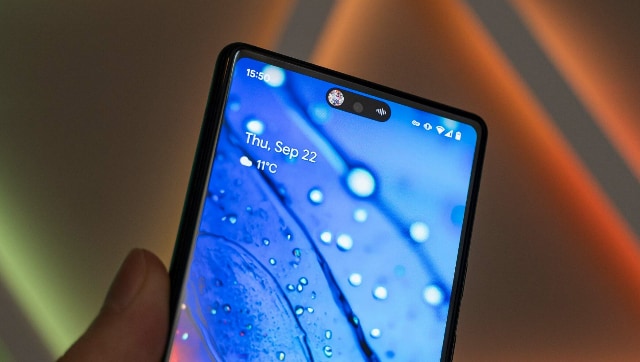
However, the cost is always a factor to consider when purchasing an iPhone. There can be many reasons why an Android user would not want to move to an iPhone, aside from cost. Many Android users can't help but feel they're missing out on something now that this new feature is making headlines and creating quite a stir. Given that "Dynamic Island" is really a little bit of software, it didn't take long for app creators to create a solution akin to it for Android devices.A free app called dynamicSpot from the Google Play Store can provide any Android phone with a notch or pill-shaped cutout. The setup for the programme will take some time, but after you're done, you'll have your very own Dynamic Island, complete with app support for the applications you choose and multitasking support for when you have several tasks running simultaneously.Steps to use Dynamicspot:
- You can find a free version of the DynamicSpot app on the Google Play Store. Download and install the app by searching for "dynamicspot" in the Play Store.
- When you first install the programme, click the bottom-right 'Next' button to go to the permissions page.
- Tap on each component to grant the app access to display notifications from particular apps, view incoming notifications, and more on the top of the screen.
- When you're finished granting access, click "Done" at the bottom of the screen.
- From the home page, select Popup settings > Dimensions. Slide the three sliders until the pill is properly aligned with the notch or pill on your phone.
- Check out the additional settings as well, which allow you to customise things like how the island responds when you tap outside of it and additional bubbles for multitasking.

China’s gaming crackdown causes top 3 companies $80 bn market value loss, Tencent alone sheds $50 bn
What is Lensa AI and how to use the app to generate AI avatars?
What is Bluebugging and how do hackers use it? Learn how to secure your devices
WhatsApp to roll out ‘Message Yourself’ feature for Android and iOS users; check how you can access it
Astronomy watch face on Apple Watch enables exciting view of Solar System; check features here