


Google Maps' new update brings visual improvements to help users understand location, surroundings better
With the new update, users will be able to correctly distinguish beaches and deserts from lakes, rivers, oceans and ravines.

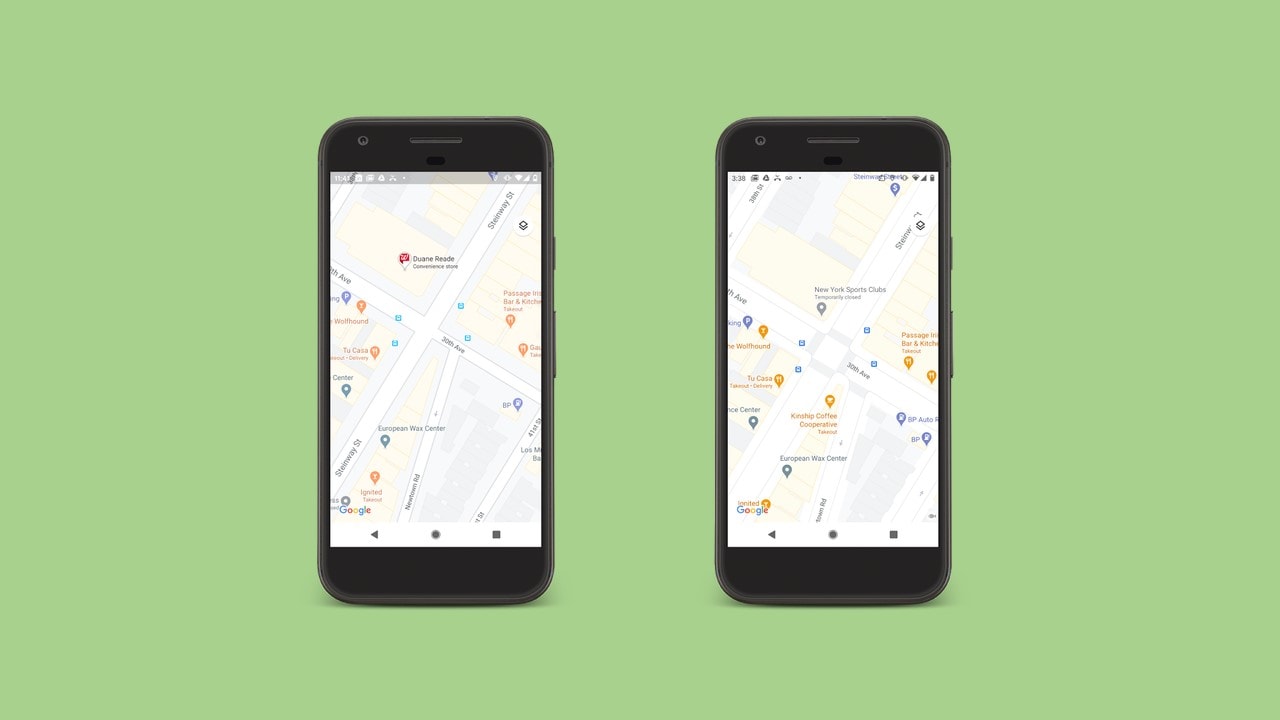
Users can see crosswalks, sidewalks, and pedestrian islands right from Google Maps. Image: Google[/caption]Now the areas of vegetation will be distinguishable with the green hue, the snow caps with the white colouring. People will be able to correctly distinguish beaches and deserts from lakes, rivers, oceans and ravines. This is likely to help the solo dwellers. With this update, Google Maps claims to have “one of the most comprehensive views of natural features on any major map app—with availability in all 220 countries and territories that Google Maps supports”.Explaining how the colour mapping technology works, Google said that it used “computer vision" to identify natural features using the satellite feed. Then, matching colour shades are assigned. For example, “a densely covered forest can be classified as dark green, while an area of patchy shrubs could appear as a lighter shade of green".Along with the natural-looking enhancements, selected cities (New York, San Francisco and London) are also getting better street specifications. From knowing how wide a road is, to determining the location of a sidewalk, Maps will make navigating the cities a cakewalk. This feature will start rolling out in the upcoming months. Moreover, Google is also planning on extending this feature to other cities and places out of the United States in the future.Users will be able to witness the natural features by zooming out on the app.

Why AI notetakers are raising serious privacy and security concerns
China's low-cost AI models are changing the global AI race. Here's why Silicon Valley is worried
China's Kimi K3 challenges US AI leaders with frontier-level performance at lower cost
How did Instagram run ads promoting child abuse in India?
Why has India halted WhatsApp’s username feature before launch?