


Vivaldi 2.4 browser supports editable buttons, multiple profiles and an in-built calculator
The latest update from Vivaldi web browser introduces more granular customisation options.

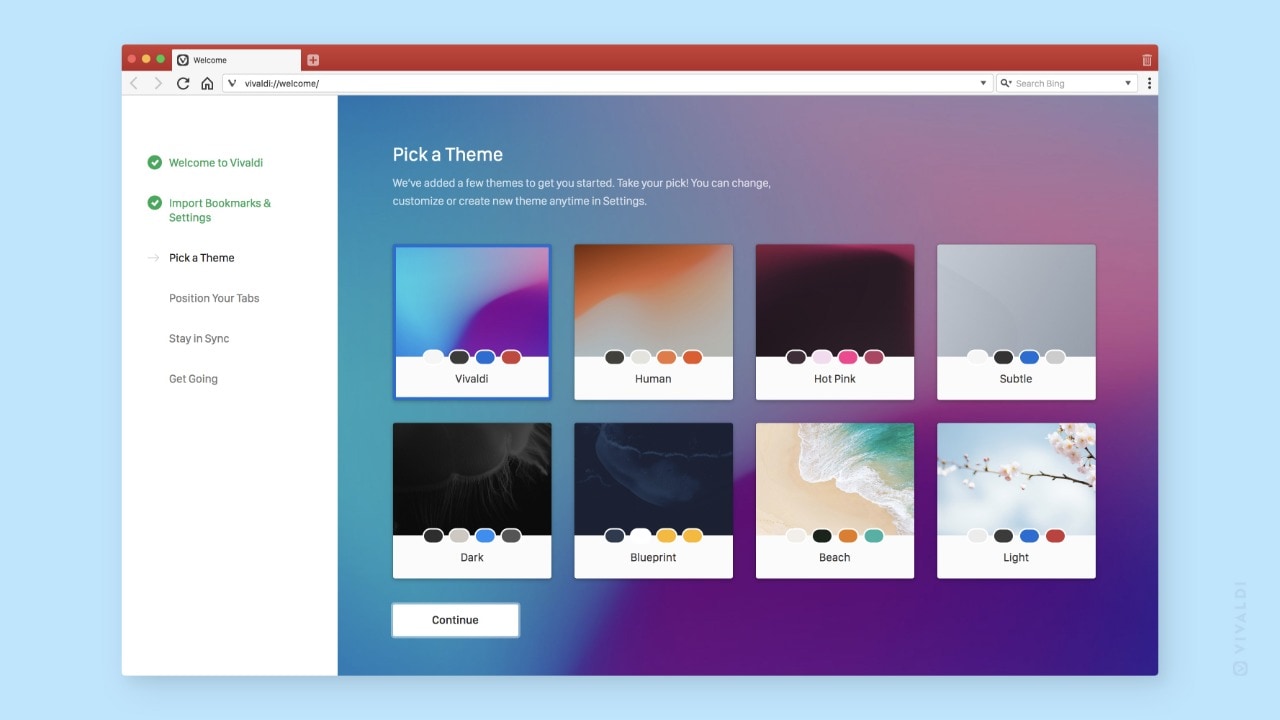
Vivaldi web browser.[/caption]
Customisable toolbars
Not all the buttons and options in the toolbar are going to be useful for every user. Based on your browsing habits, you might only require a handful of them. Vivaldi is allowing users to remove buttons from the top navigation toolbar including customisability in the status and address toolbars. You can drag and drop the existing buttons across any toolbar and even add more buttons. If you want to drag around a button, press Shift and then move them anywhere over the toolbars.[caption id="attachment_6344541" align="alignnone" width="1280"]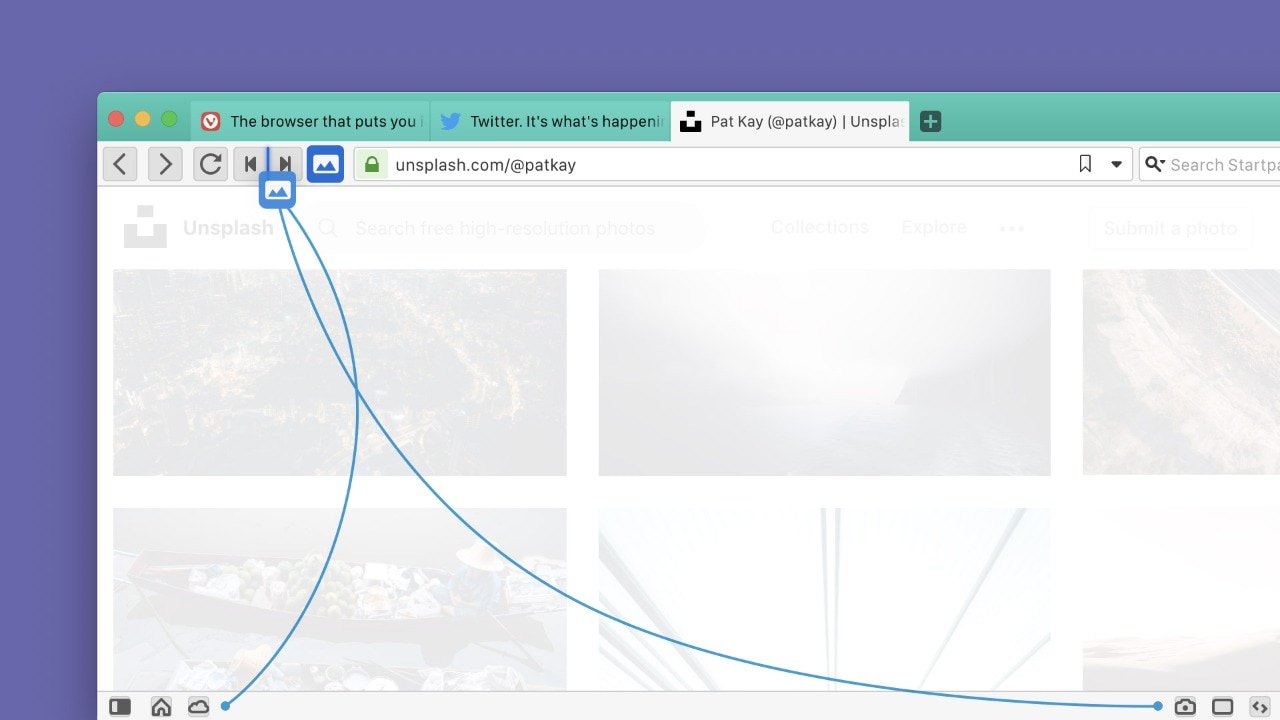
Customisable buttons in toolbars.[/caption]It’s all about tweaking around and achieving the best configuration according to your preferences. If you mess it up, then right-click and select “Reset Toolbar to Default” to return the toolbars to default. Alternatively, you can head over to Settings > Appearance > Window Appearance > Toolbar Customisations and click on “Reset Toolbar”.
Enhanced bookmarking
While you’re researching a topic or you’re prone to having numerous tabs open in your web browser, you might prefer organising all the tabs neatly. The 2.4 update allows users to save related tabs based on a timestamp so that they can return to it later. With the existing feature of bookmark syncing, you will be able to access them from a different machine as well.[caption id="attachment_6344591" align="alignnone" width="1280"]
Bookmarking selected tabs in Vivaldi.[/caption]To save multiple bookmarks together, select the tabs by pressing Shift or Ctrl and right-click to open the context menu. Click “Bookmark Tabs” and all of them will be saved together. You can access them using the bookmark manager.
Multiple user-profiles
You might have already experienced multiple user-profiles on Google Chrome. Now, the feature has finally made its way to Vivaldi. Users will be available to create different user-profiles that will contain their own bookmarks, cookies, extensions, history, etc. Each profile can be customised to make them look unique using themes, icons and custom toolbars. The profiles will also support syncing.[caption id="attachment_6344551" align="alignnone" width="1280"]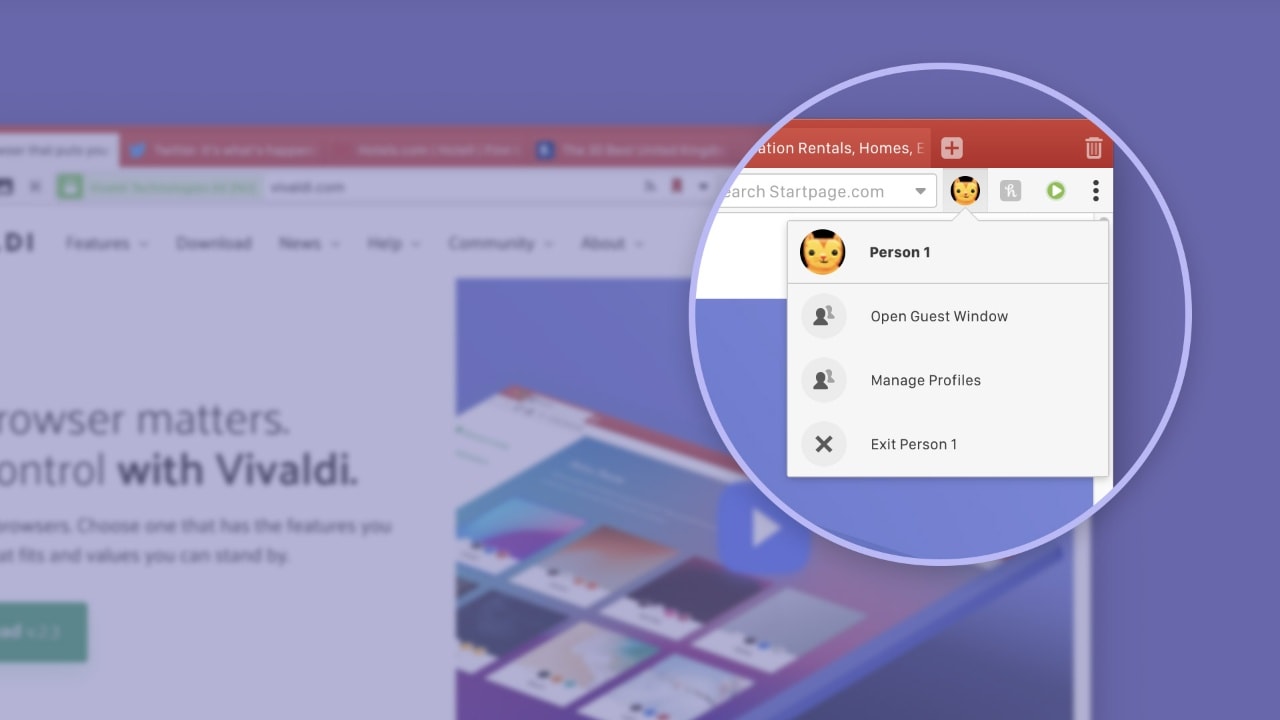
Multiple-user profiles in Vivaldi.[/caption]
Built-in calculator
Vivaldi 2.4 makes it easier to carry out simple calculations within the web browser. The built-in calculator can be accessed by the Quick Commands menu. Press F2 or Command + E (macOS users) to open the Quick Commands menu and enter the calculation you need. It will display the result and if you press Enter, the result will be copied to the clipboard.[caption id="attachment_6344561" align="alignnone" width="1280"]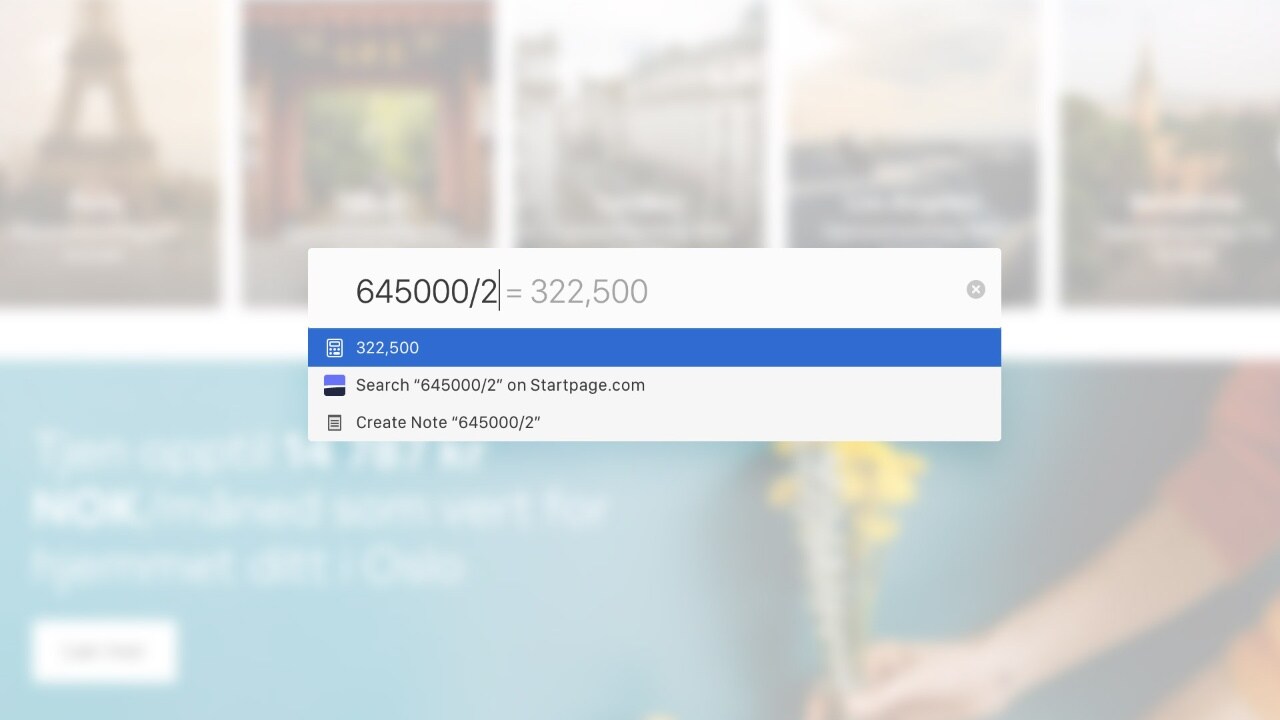
Built-in calculator in Vivaldi.[/caption]Apart from these major updates, there are a few more handful of features released.You can enable and disable the stacking of tabs and also change the hover delay duration of the tab to prevent accidental Tab Stacks. The Tab Stacks can be renamed by double-clicking. Finally, the context menu now allows the searching of highlighted text to display the results in a background tab.You can download Vivaldi 2.4 from here.

Why AI notetakers are raising serious privacy and security concerns
China's low-cost AI models are changing the global AI race. Here's why Silicon Valley is worried
China's Kimi K3 challenges US AI leaders with frontier-level performance at lower cost
How did Instagram run ads promoting child abuse in India?
Why has India halted WhatsApp’s username feature before launch?