
Advertisement


Sections
Twitter's prototype app 'twttr' rolling out today: Here's how to install it
Here's how you can install twttr and participate in the programme as a tester.

At the CES conference in January this year, Twitter had announced that it would be launching a new app, that will be an experimental testing space for new ideas for the platform. Called twttr, the app has started to roll out to the first group of testers today. Twitter announced by way of a tweet.The name of the app is a throwback to the original name of the platform. The prototype app will be used to test new features for the primary Twitter app.
What is twttr?
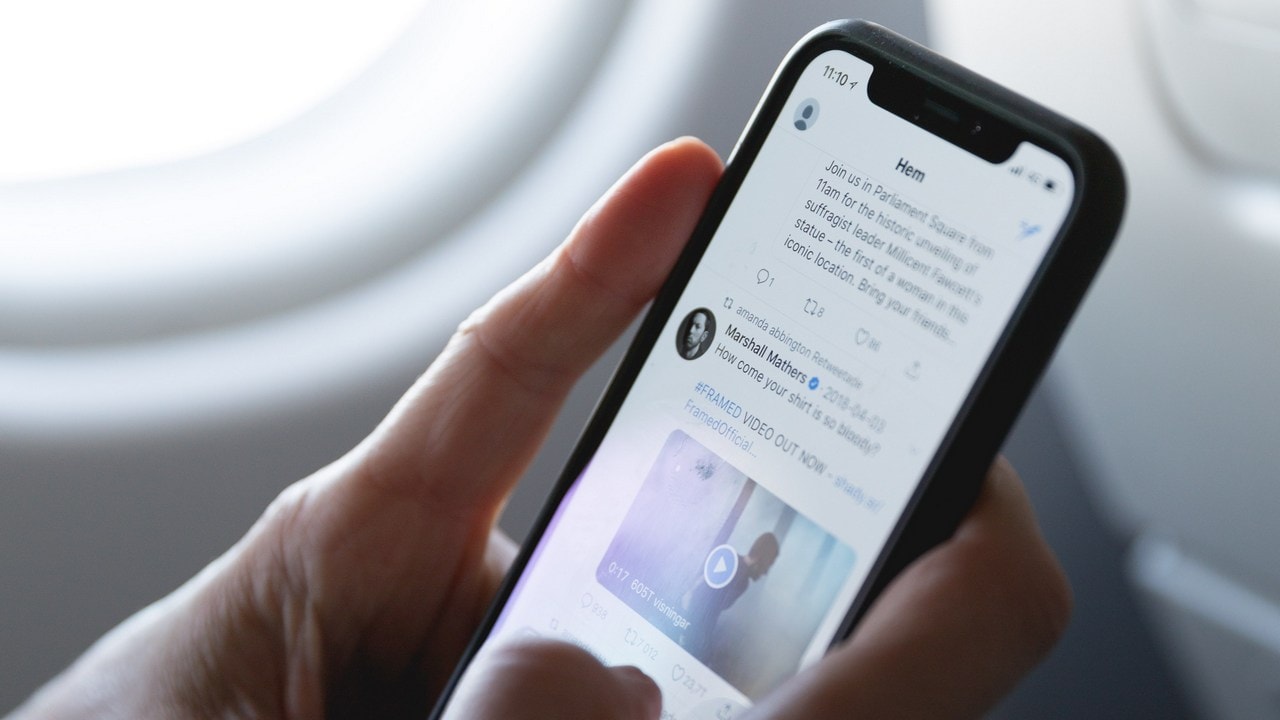
Twttr will be a separate prototype app and is meant for testing a new design for conversations. The app will show a different format for replies, where conversations themselves have a more rounded chat-like shape and are indented to be presented in a way that they’re easier to follow. Further, in the new design, the engagements, sharing options and other tweet details will be hidden to give you a more simplified UI.[caption id="attachment_6104401" align="alignnone" width="1280"]![Twitter app for iOS.]() Twitter app for iOS.[/caption]In addition to that, the new design on twttr will also have the color-coded replies, wherein, testers will see different colours designate to the original poster of the tweet, and for users who reply on the posts. This is aimed to make it easier to follow lengthy threads where, often, side conversations take place or the original tweeter steps in with a follow-up or a clarification.Eventually, Twitter will use the prototype app to test out other changes it wants to make to Twitter.There is no non-disclosure agreement with the prototype app, so testers will be able to share the new changes being worked on with all of us. For the initial testing around the conversation, the hashtag being used is #LetsHaveAConvo, so you can follow that on Twitter for tracking the latest development on it.
Twitter app for iOS.[/caption]In addition to that, the new design on twttr will also have the color-coded replies, wherein, testers will see different colours designate to the original poster of the tweet, and for users who reply on the posts. This is aimed to make it easier to follow lengthy threads where, often, side conversations take place or the original tweeter steps in with a follow-up or a clarification.Eventually, Twitter will use the prototype app to test out other changes it wants to make to Twitter.There is no non-disclosure agreement with the prototype app, so testers will be able to share the new changes being worked on with all of us. For the initial testing around the conversation, the hashtag being used is #LetsHaveAConvo, so you can follow that on Twitter for tracking the latest development on it.
 Twitter app for iOS.[/caption]In addition to that, the new design on twttr will also have the color-coded replies, wherein, testers will see different colours designate to the original poster of the tweet, and for users who reply on the posts. This is aimed to make it easier to follow lengthy threads where, often, side conversations take place or the original tweeter steps in with a follow-up or a clarification.Eventually, Twitter will use the prototype app to test out other changes it wants to make to Twitter.There is no non-disclosure agreement with the prototype app, so testers will be able to share the new changes being worked on with all of us. For the initial testing around the conversation, the hashtag being used is #LetsHaveAConvo, so you can follow that on Twitter for tracking the latest development on it.
How can I be a tester on twttr?
If you want to participate in the programme, you can still apply. Twitter says that it is still accepting participants.Once you have applied, you should wait for an email from Twitter that will update you on your status of participation. You may also be added to a waitlist. At the moment twttr is only available for iOS users.However, do note, that Twitter has said that not everyone will be accepted to the prototype-app testing program. Only a couple of thousand of English and Japanese speakers will be invited, provided they follow Twitter’s rules.Testers also can submit feedback through an online form.
How do I install twttr?
If you have already been accepted as a tester for the prototype app, Twitter says that the first group of testers will receive an email invite sometime over the next few days.The email contains a link which has all the steps as to how you can download twttr. You will need to be an iPhone user to be able to download the TestFlight app on your phone.[caption id="attachment_6243121" align="alignnone" width="1280"]
TestFlight twttr invite which will let you download the twttr app[/caption]You then have to wait for an email invite from TestFlight which will have additional instructions to download the twttr app.After you have downloaded the app, you will need to login to it using your Twitter credentials, and start exploring the app.
First Published:Mar 12, 2019, 12:14:57 IST
Advertisement
Advertisement

Why AI notetakers are raising serious privacy and security concerns
AI notetakers promise effortless meeting summaries, but experts warn they could expose confidential conversations, corporate secrets and personal voiceprints. As businesses increasingly adopt AI-powered meeting assistants, questions over data storage, privacy, consent and legal risks are becoming impossible to ignore
5 min read
China's low-cost AI models are changing the global AI race. Here's why Silicon Valley is worried
As Chinese firms continue to improve performance while keeping prices low, the AI race is no longer just about building the smartest model—it is increasingly becoming a battle over who can deliver the best value
2 min read
China's Kimi K3 challenges US AI leaders with frontier-level performance at lower cost
Chinese artificial intelligence startup Moonshot AI has unveiled its latest open-weight AI model, Kimi K3, with early results suggesting it could compete with some of the world's most advanced AI systems developed by leading US companies
2 min read
How did Instagram run ads promoting child abuse in India?
India has issued a notice to Meta after an investigation alleged that Instagram displayed paid advertisements promoting child sexual abuse material. MeitY ordered Meta to remove such Instagram ads and explain within seven days how they were approved
8 min read
Why has India halted WhatsApp’s username feature before launch?
India has halted WhatsApp’s planned username feature, citing concerns about cybercrime, impersonation, and law enforcement challenges. As Meta races to address security concerns, here’s why MeitY has paused the rollout, what the feature does, and how it could influence privacy and online safety in India
3 min read
Advertisement
Advertisement