


How to book a ticket on IRCTC

Here's how you go about booking a ticket on the IRCTC website or app.Firstly, register on the IRCTC website or on the app. The website does not take registrations between 9:30am- 11:30am, so prepare in advance.Log in by entering your username and password and select the correct From/To station route under the Plan my Journey section.Select the e-Ticket option.Click on the Submit button to open up a list of trains to choose from for your route. Click on the train name to get the details about each train.Choose the class available for the selected train to get a listing of the prices for each class.
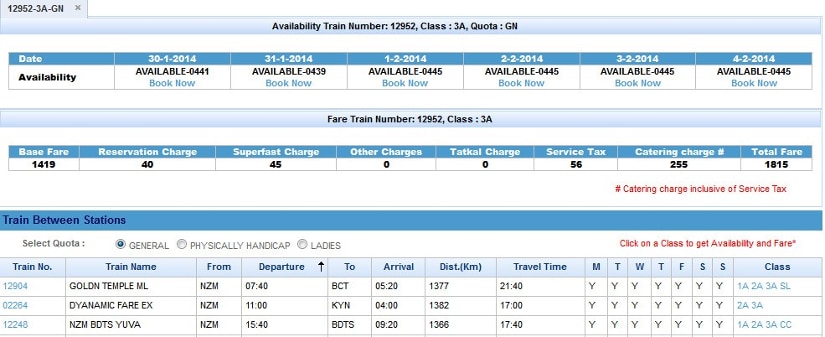
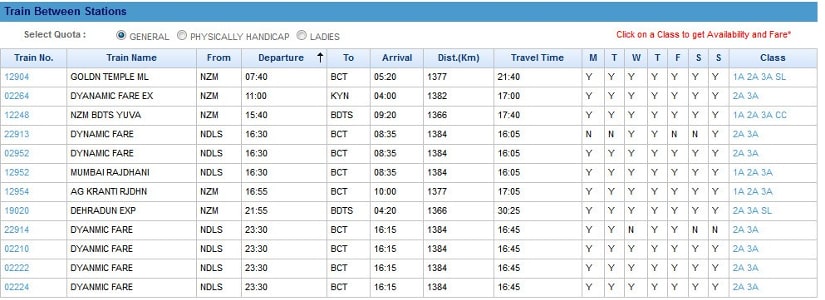 To book tickets, select the Book Now option under Availability.
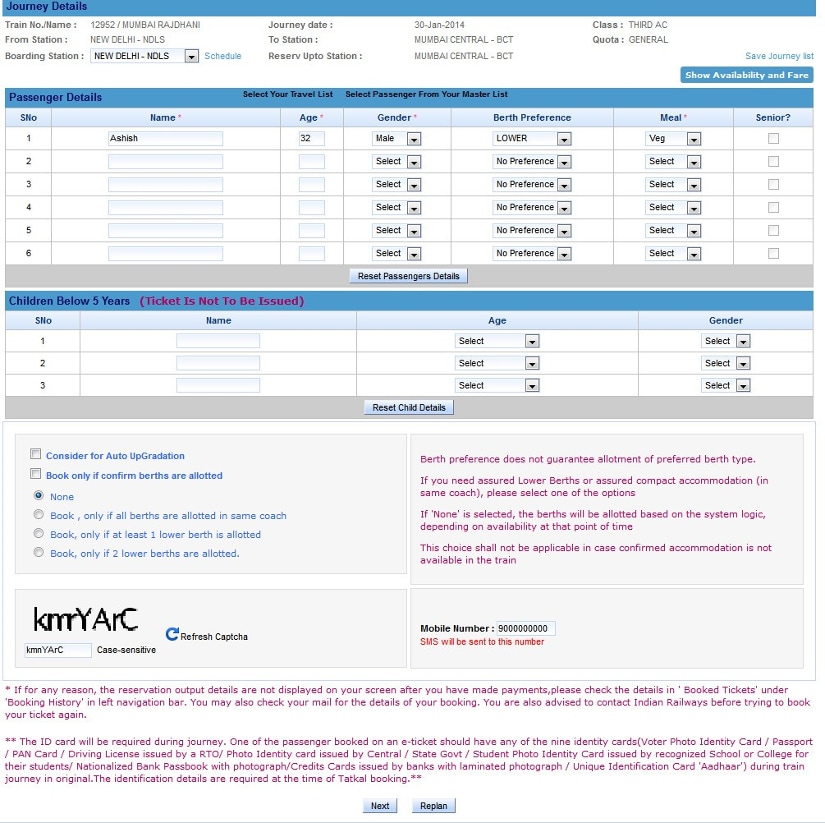
 If you want to select another train click on Reset.Enter the passenger details on the ticket reservation page. The allotment of your chosen berth depends on the availability.
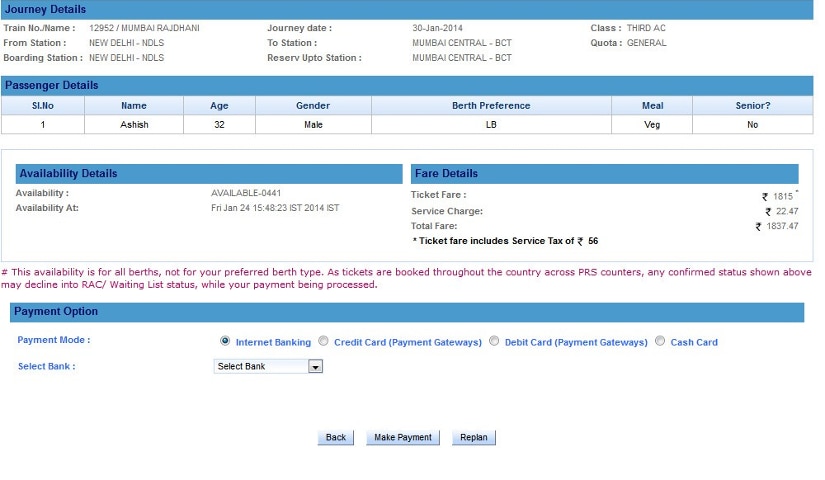
 Select the Payment Option and your bank from the list. Click on the Make payment option on the next page and you will be redirected to the bank site. The ticket details, availability of tickets at the particular time and the fare, including the service charge, appear on the screen, along with the payment option.
 Click on the Print ERS button to get a printout of the reservation made.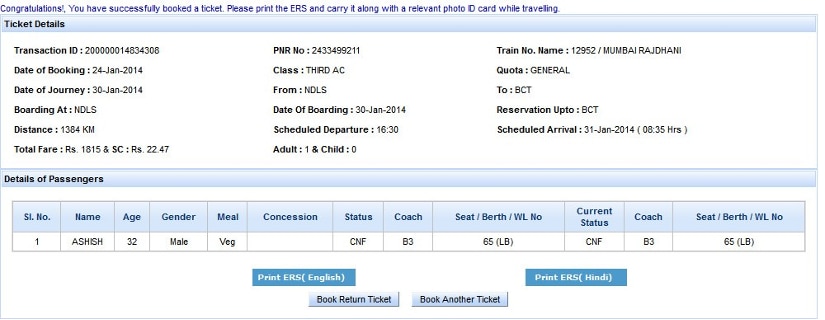

History Today: When Oppenheimer tested the first atomic bomb
Who is attending Pope Francis' funeral in Rome and who isn't?
History Today: When Iran's Supreme leader issued a fatwa against Salman Rushdie
T20 World Cup 2021: Brett Lee believes this could be the year of 'underdogs' Australia
Farm-sector bills empower farmers by opening more choices, bypassing influential middlemen