
Advertisement


Sections
Spark for Android review: The perfect refuge for Inbox users and much more
Spark works with email accounts of all major providers like Yahoo, Outlook, iCloud, Exchange and more.

 Spark is an email client for macOS, iOS, and now, Android.[/caption]A (much) less overwhelming email experienceIt begins with the design. On the surface, Spark offers a familiar experience with a list of your latest emails and a navigation drawer housing the rest of the options on the home page. However, as you use it, you come across several of its most impressive abilities.The first bit you notice is the charming aesthetic that won’t feel cramped or overwhelm you even when you have hundreds of pending messages to attend. Spark organises all your emails in bundles like Personal, Notifications, Newsletters, which are perfectly spaced in the UI. Similarly, individual emails inside threads are distanced from one other ever so slightly to avoid confusion when you’re dealing with tens of them.The visual aspect which personally impressed me the most was that Spark doesn’t inundate the home page with every email you’ve got. Instead, under each category, there’s a ‘View All’ button which allows you to go through them gradually. Called Smart Inbox, the feature can be turned off if you’d like to conduct business the traditional way.[caption id="attachment_6374041" align="alignnone" width="1280"]
 Spark organizes all your emails in bundles. similar to Gmail.[/caption]In addition, a number of elements are customisable. So, for instance, you can place a floating button at the bottom of the inbox and inside, add your most frequently employed links such as Archive or Reminders. You can also pin important emails at the top and with a click of a switch, hide the rest for a more focused session. Swipe actions for quickly archiving or deleting emails are available too and they can be personalized per your preferences.[caption id="attachment_6374931" align="alignnone" width="874"]
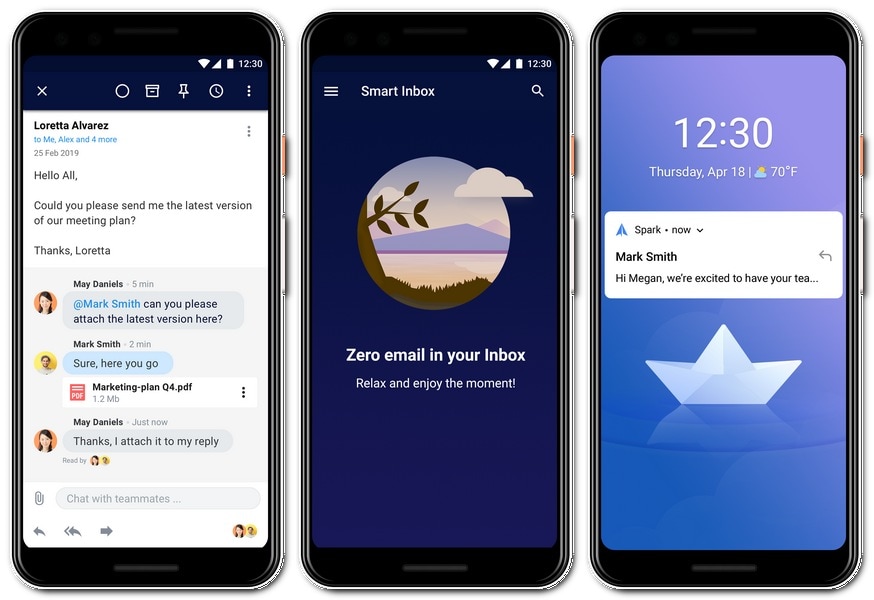 Spark for Android has a clean, no-nonsense interface.[/caption]These abilities clearly seem like a lot. But they won’t come in your way if you don’t want them to. It’s the kind of design that feels simple but can get as exhaustive as you’d like and that is truly the best kind.Spark has included a few other neat touches throughout the app. If you have managed to reach inbox zero, you will have a winsome backdrop suggesting you take a break. The macOS app is compatible with Mojave’s dark mode. Although for now, there’s no dark theme for mobile apps. All of that, of course, won’t matter if the Spark app is not responsive enough and I’m glad to report, it is.Features galoreDesign aside, Spark is loaded to the brim with features. Let’s start with the small ones. It carries nearly all the trappings we’ve come to expect from modern email clients.That includes the option to schedule emails for later, quick replies (which are not as smart as Gmail’s), follow-up reminders, extensive formatting options, support for multiple concurrent accounts and services apart from Gmail including iCloud, a built-in calendar, and more. Spark also looks for time and dates in your emails and if it finds any, turns the text into a link allowing you to instantly create an event which is quite handy.The one, major feature you will miss if you’re coming from Gmail or Inbox, though, is the absence of an undo button for sent emails.[caption id="attachment_6374031" align="alignnone" width="1280"]
 Google will be pulling the plug off its alternate Gmail client, Inbox, leaving millions of fans stranded.[/caption]Spark’s pillars of strength, however, are its set of advanced tools which promise a glimpse inside the “future of email”. While that’s hyperbole is nothing more than marketing speak, Spark’s cornerstones do enable it to be better equipped in a market that’s being gobbled up by first-party solutions.The first one is its search which can handle natural language queries and fetch results without you having to remember particular expressions. This lets you look up emails by just typing what you’re searching for.[caption id="attachment_6374921" align="alignnone" width="874"]
 The app also features a bunch of simple, yet convenient features.[/caption]So, say you want the documents sent by someone named Dave from last week. For that, you can write “PDF attachments from Dave from last week” and Spark will pull up the results. It does so by essentially breaking down the complex query into various filters and executing them together. You can even watch this happen real-time and Spark will show the filters if you’d like to specifically alter one of them.An email platform built for teamsSpark also bills itself as “Revolutionary email for teams” and on that front, it is undeniably one of a kind. Sure, there is a shedload of services for customer support and other similar purposes. But this is meant for teams in general who regularly go back and forth before responding to emails from clients, investors, what have you.Like you would with a Google document, you can share emails and drafts with your team members. Once given access, you can then compose the email together and chat through a panel on the right. What’s more, you have the ability to assign emails to your colleagues and set deadlines for them.[caption id="attachment_6374281" align="alignnone" width="1280"]
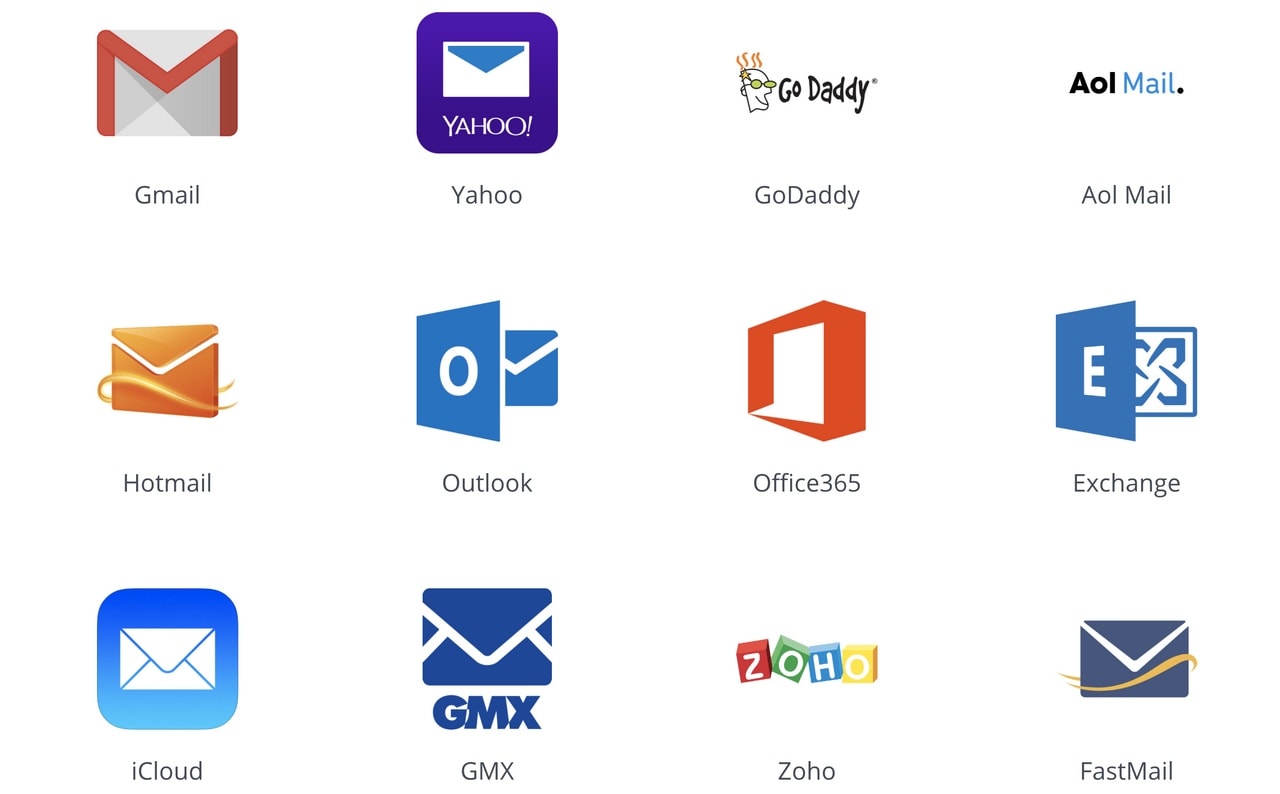 The Spark app works with email accounts of all major service providers like Yahoo, Outlook, iCloud, Exchange, and more.[/caption]On Spark, you can configure templates as well if there’s a layout you often follow. The app lets you define placeholders and fillers for the details you need to change while replying and eliminate the time it takes for you to manually write the rest. These templates can be shared with others too.On top of that, Spark supports a handful of extensions which enables you to plug in third-party services. You can save, for example, a link someone has sent to your Pocket account. A document can be instantly signed by integrating PDF Expert.Rounding it all up is the price. Spark is completely free of cost. Only when you’d like to have more storage and collaborators, you will have to pay. It starts at $7.99 per person and goes up from there, depending on your team’s size.It’s the whole package. Or is it?Spark’s developers have nearly figured out how to stand out. But it does suffer from a few looming concerns which have plagued third-party email clients before. For one, there’s the invariable privacy question. When clicking that Allow button during the signup process, you are handing over a duplicate key to your emails.To facilitate functions like search or “send later”, Spark even temporarily stores your messages in its servers. When we asked about it, a spokesperson did assure us that they delete emails “after some time”. It all rests on that trust factor and how willing you are to risk your inbox.Second is the ever-watchful eyes of tech giants. If tomorrow Google, for instance, decides to borrow Spark’s most differentiating abilities, you will have very little incentive to stick to a third-party client.
Gmail already edges out other email clients as far as data-driven features are concerned. It can autocomplete emails for you, send password-protected packages, and more. And I doubt anyone else would ever be able to catch up. Just yesterday, Gmail was updated with scheduling and a smarter algorithm for composing emails.Another shortcoming which might put your move on pause is the lack of a Windows or web client. Therefore, it’s pretty much out of the question for people who don’t own a Mac unless you are comfortable jugging between two email clients.Spark is one of those third-party services which cleverly reengineers some of the most fundamental elements of an application and supercharges them with a few additional, nifty tricks of its own. It’s also free and has an excellent desktop (Mac) app, something which Google has oddly stayed away from. Its collaboration tools are especially a delight and can potentially transform your team’s workflow.Sure, a possibility of its exclusive features being imitated tomorrow will always remain. But today, Spark can go toe-to-toe among the best out there. It’s much more than merely a Google Inbox replacement, and if you’re looking for a new home for your emails, you cannot go wrong with this one.The author is a freelance technology journalist from Ahmedabad. He tweets from @phonesoldier
The author is a freelance technology journalist from Ahmedabad. He tweets from @phonesoldier
First Published:Apr 02, 2019, 17:30:31 IST
Advertisement
Advertisement

Why AI notetakers are raising serious privacy and security concerns
AI notetakers promise effortless meeting summaries, but experts warn they could expose confidential conversations, corporate secrets and personal voiceprints. As businesses increasingly adopt AI-powered meeting assistants, questions over data storage, privacy, consent and legal risks are becoming impossible to ignore
5 min read
China's low-cost AI models are changing the global AI race. Here's why Silicon Valley is worried
As Chinese firms continue to improve performance while keeping prices low, the AI race is no longer just about building the smartest model—it is increasingly becoming a battle over who can deliver the best value
2 min read
China's Kimi K3 challenges US AI leaders with frontier-level performance at lower cost
Chinese artificial intelligence startup Moonshot AI has unveiled its latest open-weight AI model, Kimi K3, with early results suggesting it could compete with some of the world's most advanced AI systems developed by leading US companies
2 min read
How did Instagram run ads promoting child abuse in India?
India has issued a notice to Meta after an investigation alleged that Instagram displayed paid advertisements promoting child sexual abuse material. MeitY ordered Meta to remove such Instagram ads and explain within seven days how they were approved
8 min read
Why has India halted WhatsApp’s username feature before launch?
India has halted WhatsApp’s planned username feature, citing concerns about cybercrime, impersonation, and law enforcement challenges. As Meta races to address security concerns, here’s why MeitY has paused the rollout, what the feature does, and how it could influence privacy and online safety in India
3 min read
Advertisement
Advertisement