


Google will bring YouTube’s double-tap media controls to Chrome for Android; already available in Dev and Canary builds
This means Google Chrome for Android users will soon be able to double-tap on the right and left side of the screen to fast-forward or rewind respectively.

Google is working on adding the YouTube’s double-tap media controls to Chrome for Android. This means that users using Google Chrome on Android will soon be able to use the double-tap to fast-forward or rewind by tapping on the right and the left side of the screen respectively.[caption id="attachment_4269773" align="alignleft" width="380"] Image: Google[/caption]This is similar to the behaviour of the video player on the official YouTube app allowing users rich media controls so that they don’t have to try to fast-forward or rewind using the video seek bar on a tiny smartphone screen using their fingers. According to a report by Android Police, Google has introduced “a brand new video player” in the Dev and Canary build channels of Chrome for Android.For the uninitiated, Google develops Chrome in a number of channels where it tests the features for developers and beta testers before rolling out the features to everyone on the stable channel. This is done to ensure that they can fix the issues before rolling it out to the public. This new video player sports a different layout and users can even tap in the middle of the screen to pause or play any video.[caption id="attachment_4273467" align="alignnone" width="1280"]
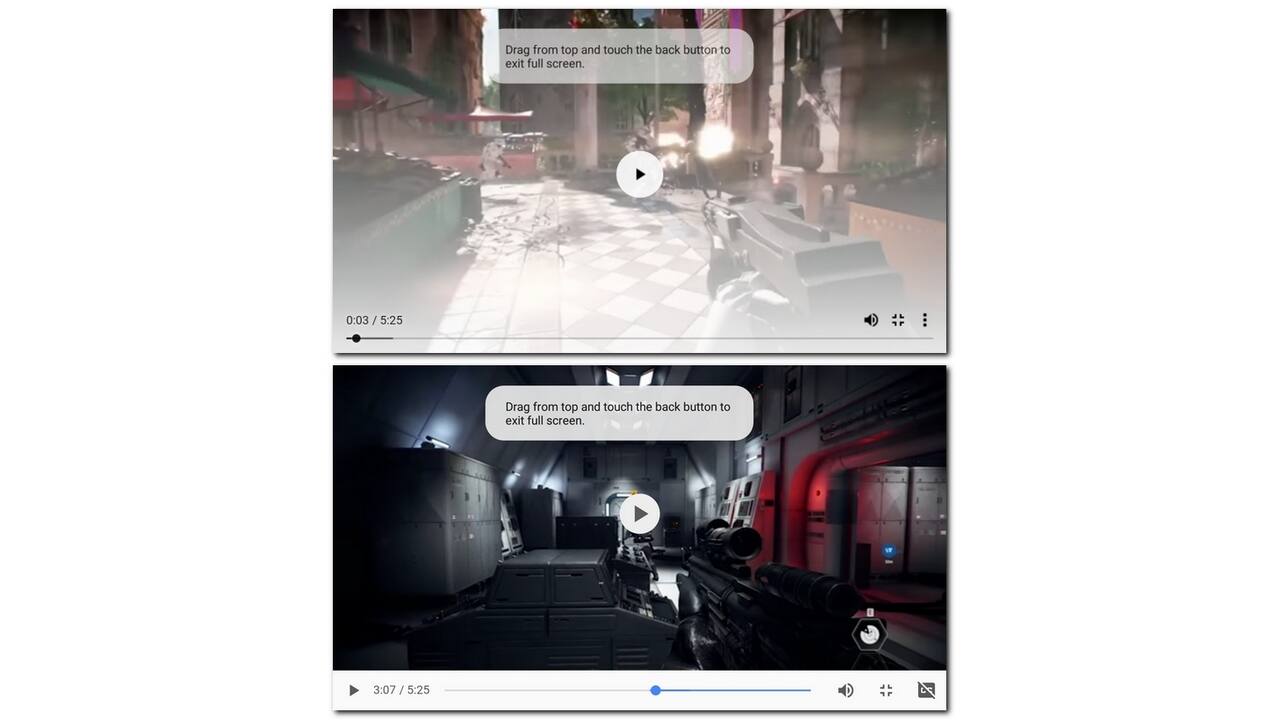 New video players in Google Chrome for Android in comparison to the current one. Image: Android Police[/caption]The report pointed out that the control bar is translucent with a white gradient to ensure that the users can see the control options without any issue. The interesting thing to note here is that the buttons are now on the top of the seek bar instead of alongside it. One thing to note here is that the behaviour of the new video player is extremely buggy at the time of writing considering it has just been introduced. It will take some time to fix the issues to make it ready for the public release.If you are already using Chrome Dev or Chrome Canary builds, you can try the new video player by enabling it on the Chrome flags page. You need to set the #enable-modern-media-controls flag to ‘Enabled’ and then navigate to any video streaming website like YouTube. Otherwise, you can download any one of the two Chrome versions to check out the new changes.

Why AI notetakers are raising serious privacy and security concerns
China's low-cost AI models are changing the global AI race. Here's why Silicon Valley is worried
China's Kimi K3 challenges US AI leaders with frontier-level performance at lower cost
How did Instagram run ads promoting child abuse in India?
Why has India halted WhatsApp’s username feature before launch?