


Google Material Theme rolls out on Android Messages with Dark Mode, again
The update for the Android Messages app can be downloaded through Google Play store.

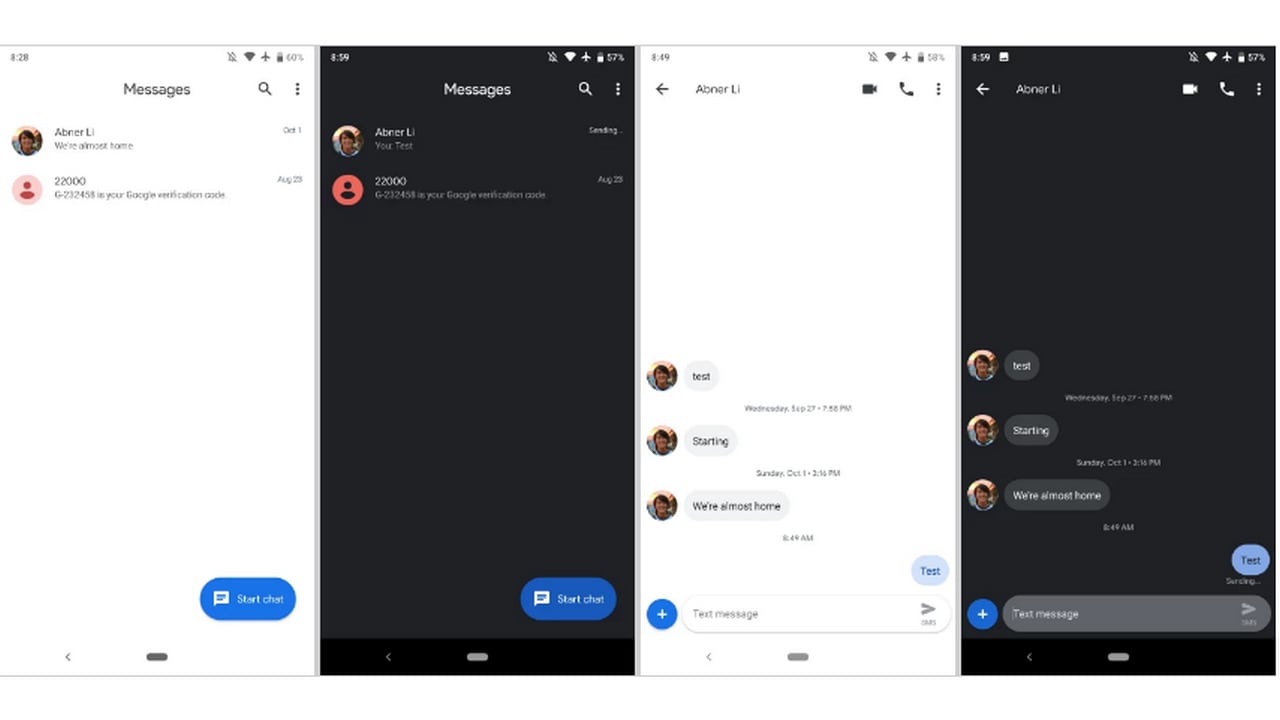
Android Messages. Image: 9to5google[/caption]The update for the Android Messages app can be installed through the Google Play Store, or alternately, you can also choose to download an APK file from APK Mirror. The site notes that the user must first run the app once, then force close it and finally restart the app to activate it.The changes comprise of a completely white background, the Google Sans font and also the replacement of the '+" icon with the 'Start Chat' text which shows up by default. The text then is replaced by the icon which is used when a new message pops up as one scrolls down.The dark mode can be enabled by selecting the three-dot menu from the top right corner of the screen which gives the 'Enable Dark Mode' option.Google hasn't provided any explanation as to why it had rolled back the feature in the first place but were glad they brought it back.

Why AI notetakers are raising serious privacy and security concerns
China's low-cost AI models are changing the global AI race. Here's why Silicon Valley is worried
China's Kimi K3 challenges US AI leaders with frontier-level performance at lower cost
How did Instagram run ads promoting child abuse in India?
Why has India halted WhatsApp’s username feature before launch?