


Asus ROG XG Mobile GC31S (with RTX 3080) review: A pricey, yet transformative eGPU for Asus laptops
If you’re someone looking for exactly the kind of experience the Flow X13 + XG Mobile combo offers, I think it’s worth it.

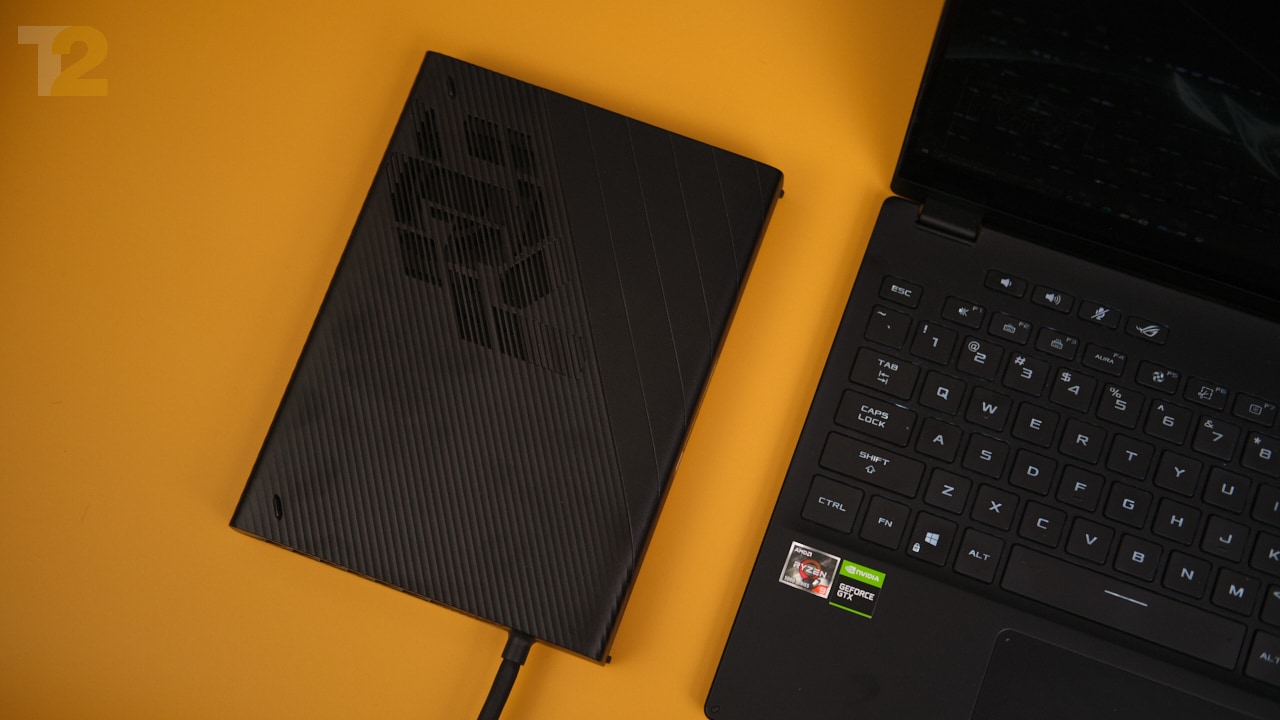
XG Mobile is hardly larger than a book, making it one of the smallest eGPU docks around. Image: Anirudh Regidi[/caption]A GPU normally connects to your PC via an interface called PCIe, and it needs 16 PCIe data lanes to perform at its best. Depending on the GPU you’re using, 8 lanes will also do, with the performance hit on medium to high-end GPUs being limited to a few percentage points.The Thunderbolt interface used by eGPUs, on the other hand, only offers 4x PCIe lanes at best, and half that number if your eGPU is driving your laptop’s internal display.While you could never get desktop-class performance from these enclosures, they seemed like a great way to augment your existing laptop’s performance.Personally, I was never a fan of this design. Sure, you could transform your Ultrabook into a gaming notebook, but eGPUs are expensive, aren’t portable, and are clunky to set up. If I must dedicate a permanent space for a chunky eGPU box and external monitor, pay a premium for the enclosure and desktop-class GPU, and be prepared to compromise on performance, why wouldn’t I just buy a slightly larger, more powerful gaming laptop? Or better yet, why not build a PC?With the ROG XG Mobile, Asus has attempted to address these issues, and I think Asus has succeeded, after a fashion.
What is XG Mobile?
Unlike most eGPU options, XG Mobile is a self-contained eGPU and USB hub combo that houses either an RTX 3070 or RTX 3080 GPU. The catch is that these are the mobile variants of the 3070 and 3080 and are not user-replaceable. The 3080 can operate at up to 150 W while the 3070 can operate between 125 W and 140 W depending on thermal headroom.[caption id="attachment_9788651" align="alignnone" width="1280"]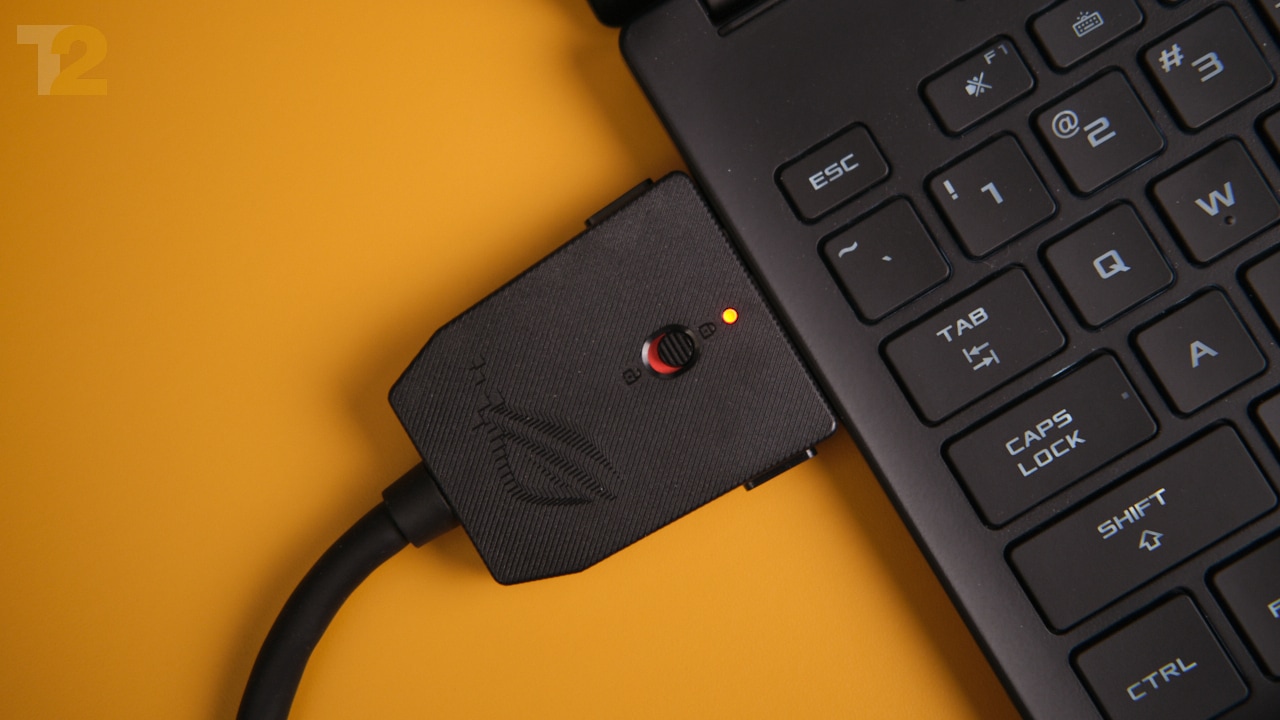 The XG Mobile connector supports 8x PCIe 3.0 lanes, which makes it much wider than a traditional USB or Thunderbolt interface. Image: Anirudh Regidi[/caption]Using a mobile GPU allows Asus to trim enough fat to deliver an eGPU that’s about as thick as a laptop power brick and perhaps three times as wide. It’s still large, but now it’s small enough (and light enough) to toss into a bag.Another change is the interface, which uses a proprietary Asus connector — found only on the ROG Flow X13 laptop for now — to deliver 8x PCIe 3.0 lanes to the eGPU, eliminating the biggest bottleneck.[caption id="attachment_9788641" align="alignnone" width="1280"]
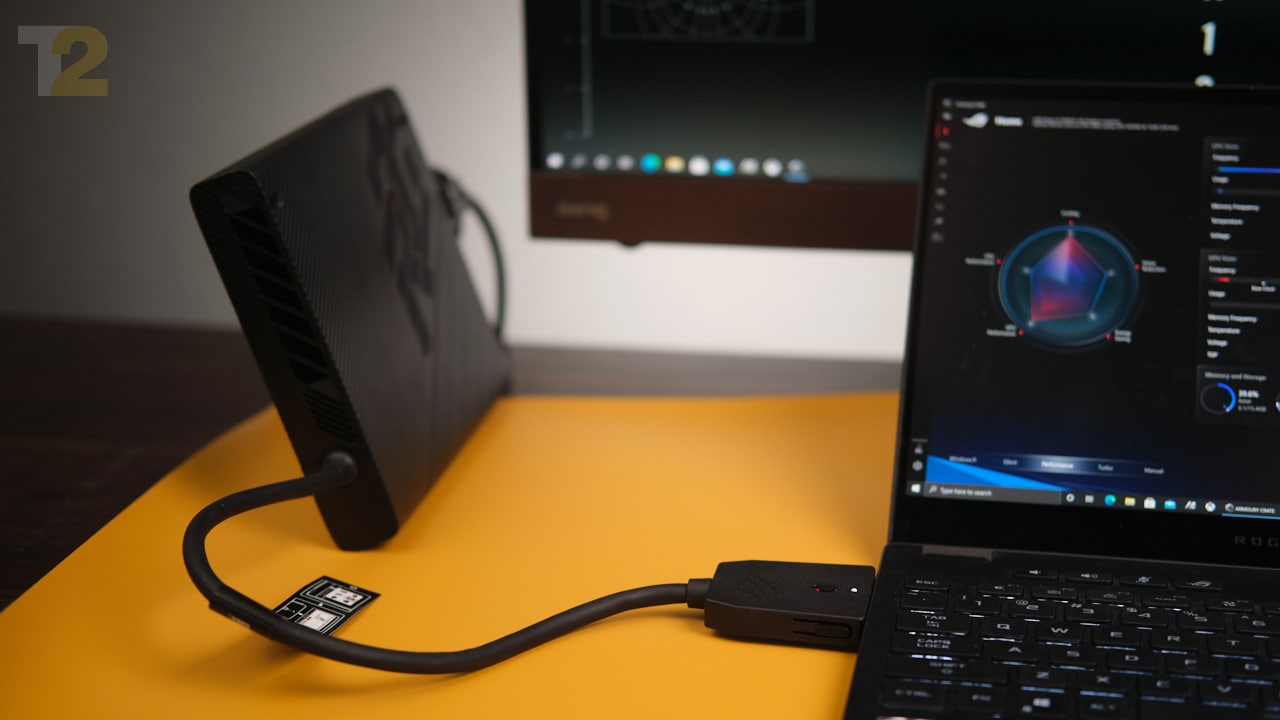 You only need one cable to hook up the XG Mobile to your Flow X13. I’d have liked a longer cable, though. Image: Anirudh Regidi[/caption]Additionally, you get a bunch of I/O on the eGPU box, including: HDMI 2.0b, DP1.4 with G-Sync, RJ45 LAN, 4x USB 3.2 Gen 1 Type-A, and an SD card reader rated at UHS-II speeds.The dock comes with its own 280 W power brick that’s sufficient for the RTX 3080 (in my review unit) as well as the Flow X13 laptop. A dedicated fan keeps the GPU cool.[caption id="attachment_9788631" align="alignnone" width="1280"]
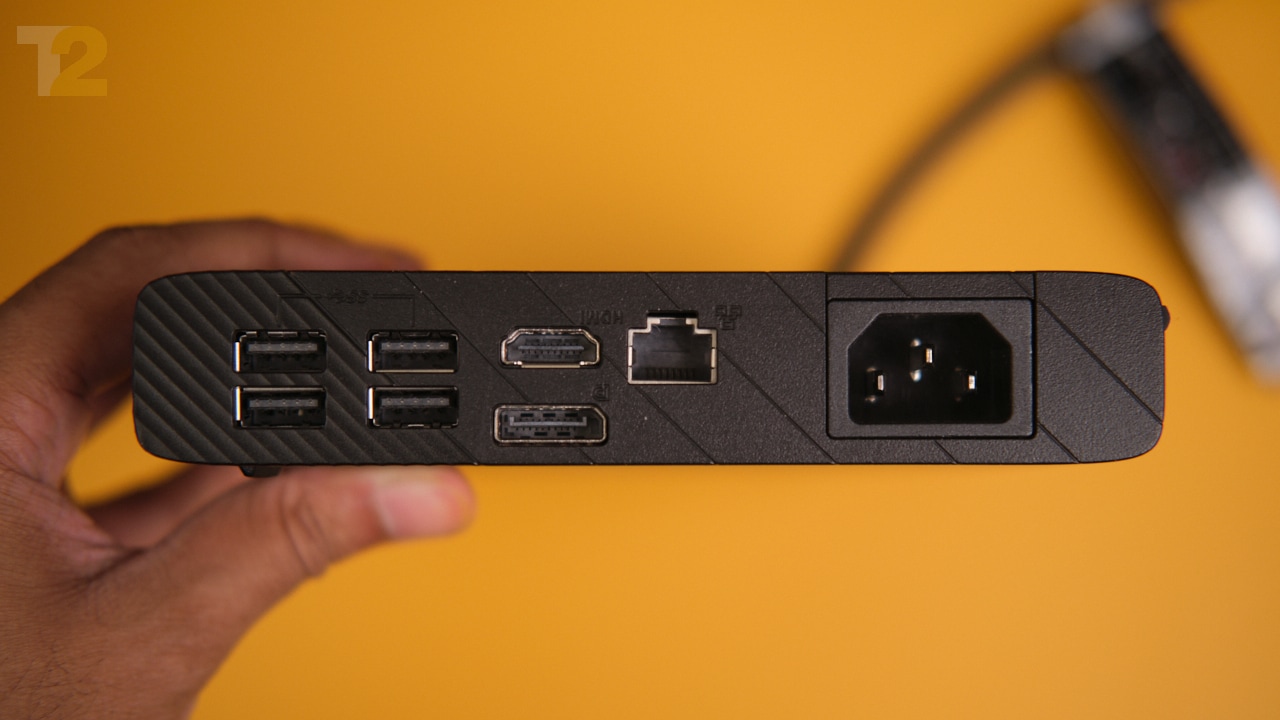 The eGPU enclosure also doubles as a USB dock that supports HDMI, DP1.4, USB-A, and more. Image: Anirudh Regidi[/caption]
Performance: Is it worth it?
- Flow X13 with internal GPU (GTX 1650 Max-Q)
- Flow X13 + XG Mobile driving the internal display
- Flow X13 + XG Mobile driving an external display
.jpg) When comparing relative performance, it’s clear that this XG Mobile unit can boost performance by as much as 3x in most workloads.[/caption]Based on these numbers alone, the XG Mobile seems like it’s worth it. You get to carry a featherweight Ultrabook for light work, and when you want to game, you whip out the tiny XG Mobile unit and plug it in. Win-win, right? Maybe.[caption id="attachment_9788791" align="alignnone" width="1280"]
When comparing relative performance, it’s clear that this XG Mobile unit can boost performance by as much as 3x in most workloads.[/caption]Based on these numbers alone, the XG Mobile seems like it’s worth it. You get to carry a featherweight Ultrabook for light work, and when you want to game, you whip out the tiny XG Mobile unit and plug it in. Win-win, right? Maybe.[caption id="attachment_9788791" align="alignnone" width="1280"].jpg) Compared to the internal 1650 Max-Q GPU in the Flow X13, the XG Mobile eGPU is ridiculously fast. Hooking it up to an external display provides a slight boost in performance, too.[/caption]
Compared to the internal 1650 Max-Q GPU in the Flow X13, the XG Mobile eGPU is ridiculously fast. Hooking it up to an external display provides a slight boost in performance, too.[/caption]Verdict: It’s priced high, but I think it’s still worth it
There are two variants of the XG Mobile, and they’re priced as follows:- XG Mobile GC31R: RTX 3070 8 GB – Rs 69,990
- XG Mobile GC31S: RTX 3080 16 GB – Rs 1,39,990
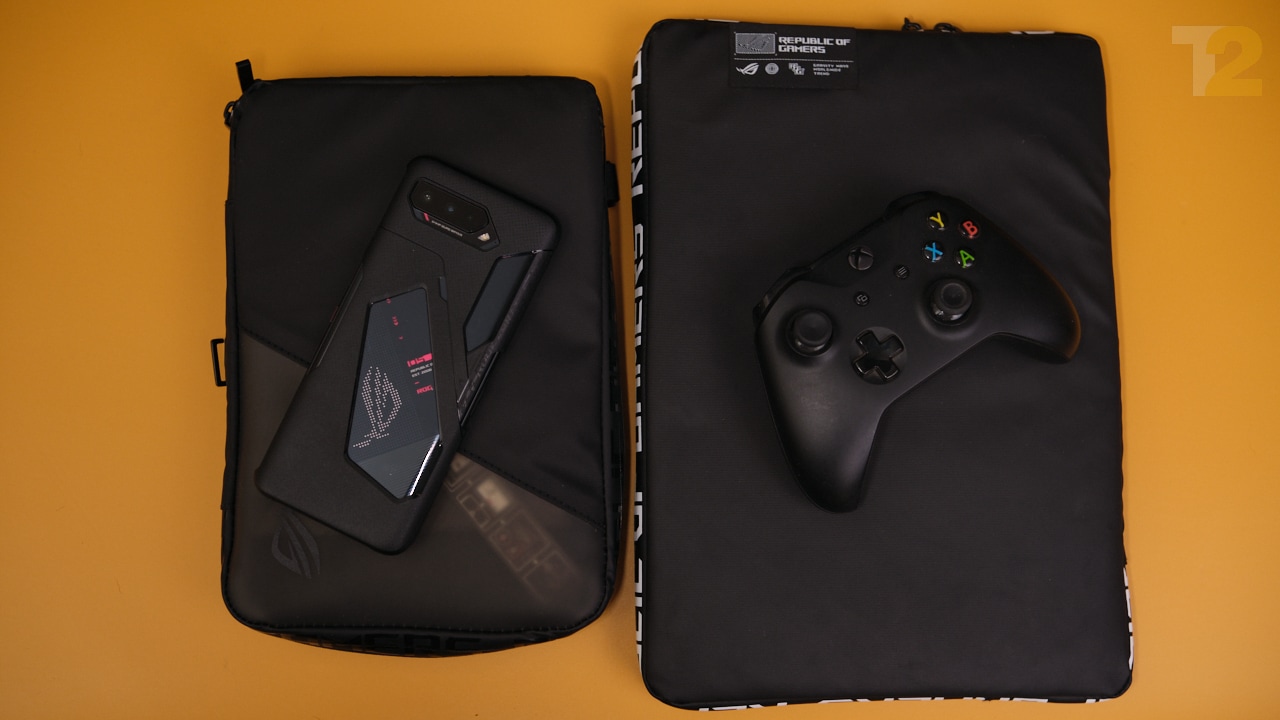
When fully packed, the entire setup takes a lot less space than one might think. Image: Anirudh Regidi[/caption]If you’re someone looking for exactly the kind of experience the Flow X13 + XG Mobile combo offers, I think it’s worth it. Personally, I’d rather just spend Rs 1.4 lakhs on the bulkier Zephyrus G15 than deal with the hassle of an eGPU dock and requisite desk setup, but that’s just me.As far as eGPU solutions go, I think Asus’ XG Mobile is one of the simpler, no-compromises, gamer-focused designs out there.I like what Asus is doing here, and while I’m still not a fan of eGPUs in general, I can respect the design and engineering effort that went into creating a system like XG Mobile, and I hope to see more such designs in the future.Note: XG Mobile is currently compatible with the Flow X13 laptop only. Asus tells me that they’re looking into expanding support for the interface in the near future.

Why AI notetakers are raising serious privacy and security concerns
China's low-cost AI models are changing the global AI race. Here's why Silicon Valley is worried
China's Kimi K3 challenges US AI leaders with frontier-level performance at lower cost
How did Instagram run ads promoting child abuse in India?
Why has India halted WhatsApp’s username feature before launch?