


How to download videos from Facebook and Twitter
If you're looking to download videos from Facebook or Twitter, you're in luck. This short guide will tell you how.

If you're looking to download videos from Facebook or Twitter, you're in luck. This short guide will tell you how.Downloading videos from FacebookCurrently, this feature is only available on Android devices. iOS-powered devices do not yet have the option to download videos from the Facebook app.Open Facebook in your phone, either in the app or the browser.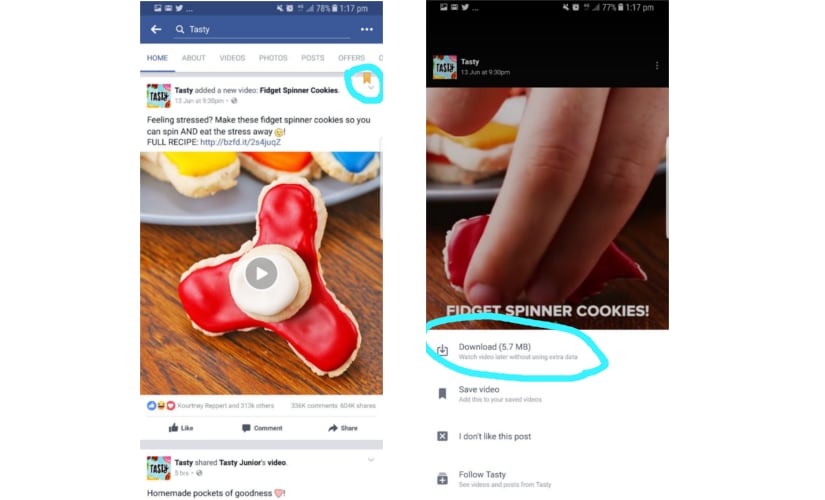 Tap on the video you want to download and click on the downward arrow. The video will be downloaded to your phone.That's it! It's that simple.Downloading videos from TwitterThere is no inbuilt functionality to download videos in Twitter so you will have to use a third party app like this one.Copy the URL of the tweet which has the video you want to download. Paste it in the field which says Paste Tweet URL here on the above-mentioned page.Click on the Download button and then click on the Download Video button on the next page to complete the process.

History Today: When Oppenheimer tested the first atomic bomb
Who is attending Pope Francis' funeral in Rome and who isn't?
History Today: When Iran's Supreme leader issued a fatwa against Salman Rushdie
T20 World Cup 2021: Brett Lee believes this could be the year of 'underdogs' Australia
Farm-sector bills empower farmers by opening more choices, bypassing influential middlemen