


How to deactivate or reactivate a Facebook Account
There are times when you feel like you want to kill your Facebook account, and maybe you'll regret it later and want to restore it.

There are times when you feel like you want to kill your Facebook account, and maybe you'll regret it later and want to restore it. Either way, these instructions should help you out.Click the downward arrow at the top right of Facebook.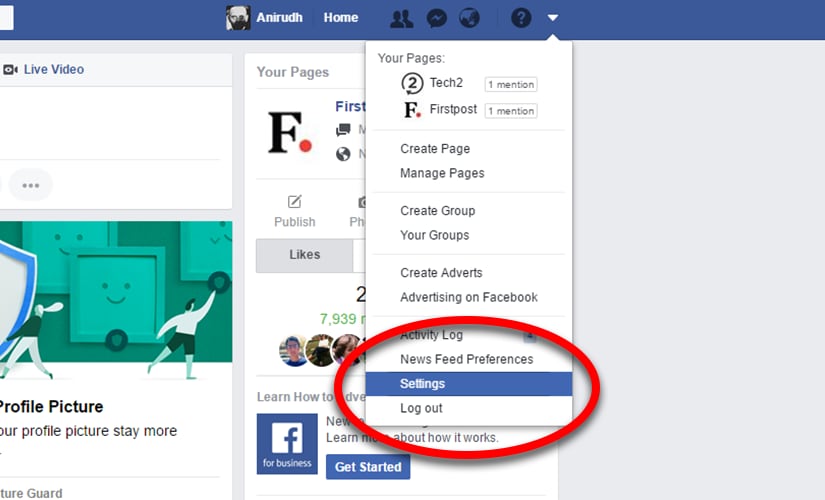 Go to Security settings and select Deactivate your account.This will lead you to a page with pictures of people whose posts you have most interacted with. These profile pictures will appear with text saying each person will miss you.
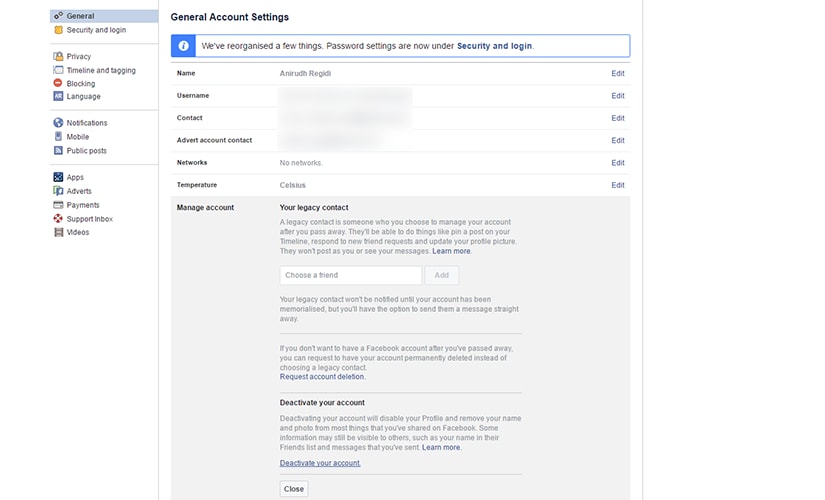 Be strong and fill in the fields given for the reason for your deactivating the account.You can also opt out of receiving mails from Facebook and messages on Messenger. If you have developed any app on Facebook for which you are the only developer, the app will be deleted unless you transfer the rights to another person.

History Today: When Oppenheimer tested the first atomic bomb
Who is attending Pope Francis' funeral in Rome and who isn't?
History Today: When Iran's Supreme leader issued a fatwa against Salman Rushdie
T20 World Cup 2021: Brett Lee believes this could be the year of 'underdogs' Australia
Farm-sector bills empower farmers by opening more choices, bypassing influential middlemen