


How to change your JioFi password
Changing your JioFi password is easy. Here's how you do it

Changing your JioFi password is easy. Here's how you do it:Access the configuration interface on a web browser.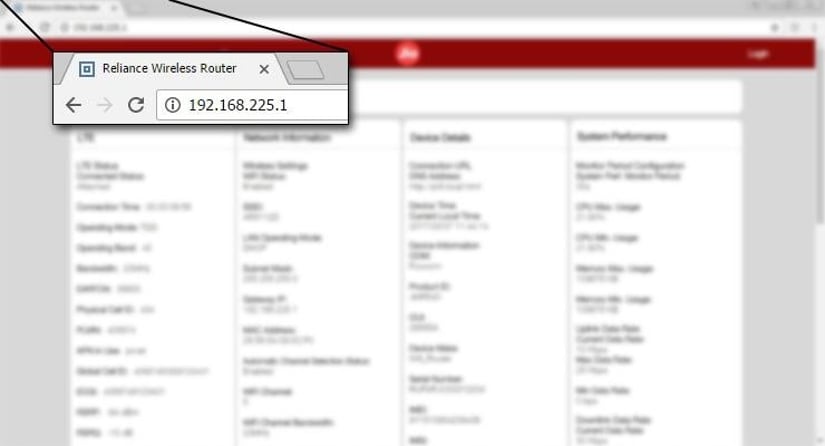 Access the URL http://jiofi.local.html or http://192.168.225.1 using a web browser. This will take you the page where you can manage the JioFi’s settings.Log in to the interface
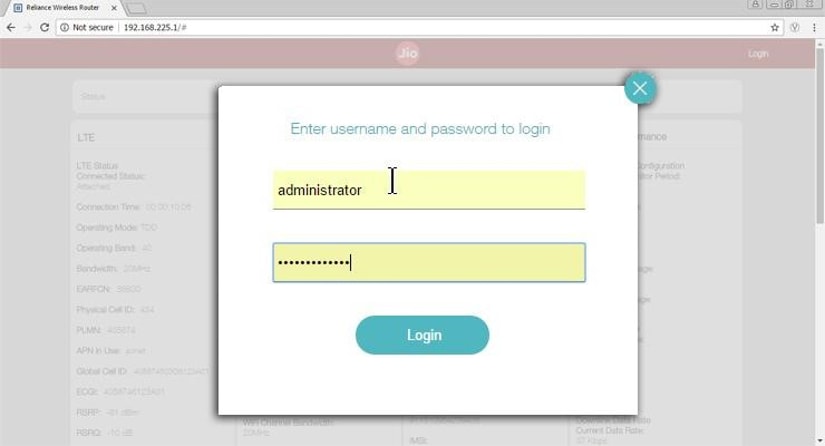 Log in with credentials. If the device is being set up for the first time then enter the username and password as 'administrator'. You may be advised with a dialog box to change your password. Click OK to do so.Change the Wi-Fi password
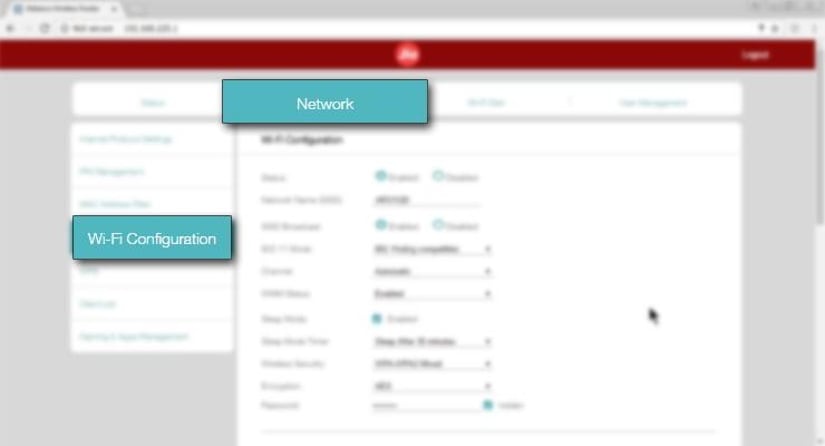 To change the password of your wifi network click on the Network tab and then click on the 'Wi-Fi Configuration' setting.Choose a password and save Settings
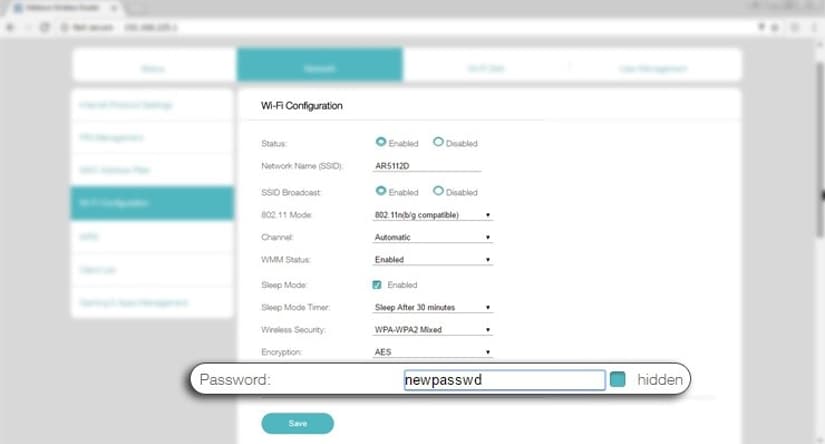 Choose the encryption option for your JioFi network and then set your password accordingly.Disclaimer: Reliance Jio is owned by Reliance Industries, who also own Network18, the publisher of Firstpost and tech2.

History Today: When Oppenheimer tested the first atomic bomb
Who is attending Pope Francis' funeral in Rome and who isn't?
History Today: When Iran's Supreme leader issued a fatwa against Salman Rushdie
T20 World Cup 2021: Brett Lee believes this could be the year of 'underdogs' Australia
Farm-sector bills empower farmers by opening more choices, bypassing influential middlemen